Puzzle + Stripe: Smarter Payments, Seamless Reconciliation
Automatically categorize, sync, and reconcile Stripe transactions with Puzzle—no spreadsheets, no manual work, just real-time financial clarity.

About
Stripe
Stripe is a leading financial infrastructure platform that powers payments for millions of businesses around the world. From startups to global enterprises, Stripe helps companies accept payments, manage revenue, and scale their financial operations with speed and security.
How It Works
Once connected, Puzzle securely fetches your Stripe transaction data in real-time. We automatically categorize sales, refunds, and fees, and reconcile them against your bank deposits. This eliminates manual data entry and ensures your books are always accurate and up-to-date. The diagram illustrates how data flows seamlessly from your Stripe account directly into your Puzzle financial statements.



Streamline Your Books with Seamless Invoicing Sync
Connect your invoicing and payment platforms directly to Puzzle and eliminate manual data entry.
Real-Time Visibility Into Cash Flow
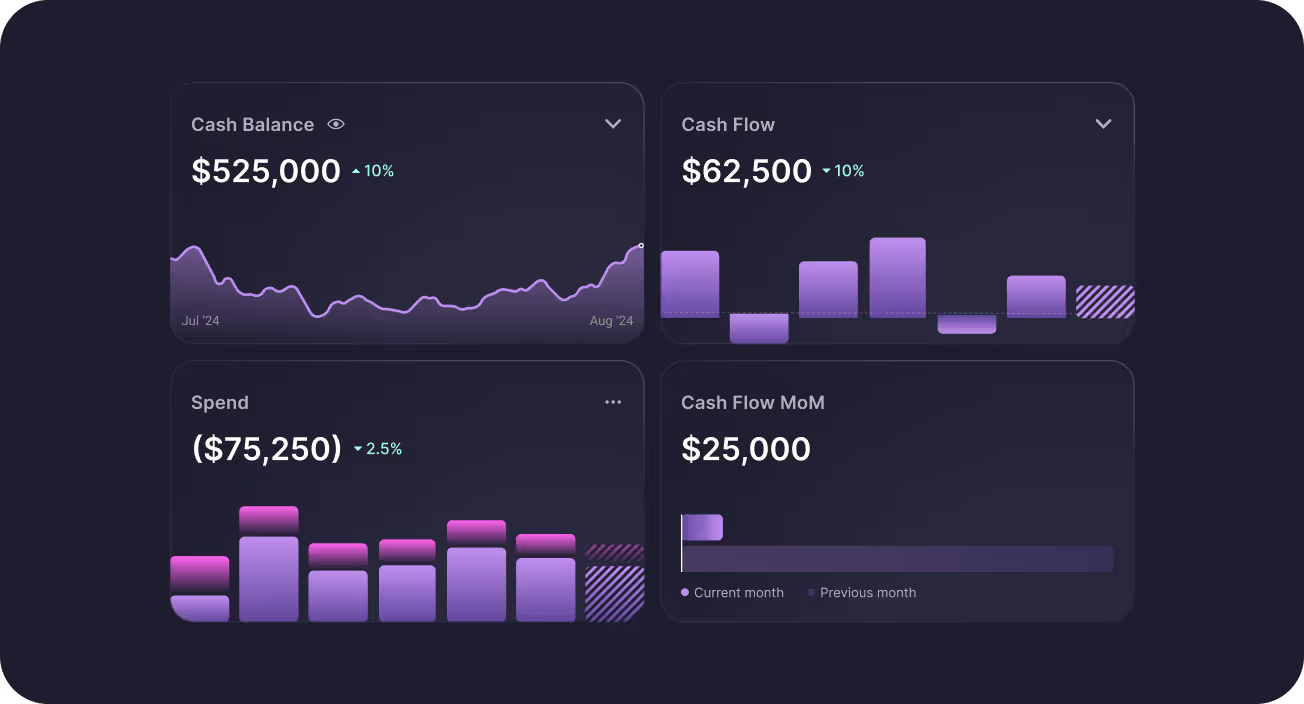
Puzzle gives you a live view of your cash position by integrating with payment processors, so you’re always operating with real-time financial insights.


Make Smarter Decisions with Funding-Ready Insights
Puzzle gives you investor-grade metrics and clarity, so you can confidently forecast runway, prep for fundraising, and demonstrate traction with clean, credible financials.
Close the Books Faster with Cleaner Data
With automated categorization and reconciliation of invoicing data, month-end doesn’t have to mean late nights. Puzzle ensures your general ledger stays clean and audit-ready, accelerating your close process with confidence.
How to Connect
FAQs

Yes. Puzzle has a direct Stripe integration. Connect from Integrations → Stripe in Puzzle (or during onboarding). Puzzle ingests Stripe balance activity—payments, refunds, fees, disputes, transfers, and payouts—so you can reconcile processor activity to your bank deposits without rebuilding spreadsheets.
Stripe invoices (including subscription and transaction invoices) and invoice status updates sync into Puzzle. Subscriptions feed ARR/MRR and revenue views. Puzzle also records payments, fees, refunds, chargebacks, and payouts so you can reconcile your Stripe balance and payout batches. Resetting the Stripe connection does not impose a fixed history cap in Puzzle.
Stripe syncs once a day. You can check the last sync time under Integrations → Stripe. Puzzle’s Stripe reconcile guidance notes the daily sync around 2 AM Pacific, so activity from today or yesterday may not be in Puzzle yet. Report refresh on dashboards does not re-sync Stripe; wait for the Stripe sync or check connection status.
Yes. Puzzle can generate automated revenue recognition schedules from service period dates in Stripe and surface cash, accrual, and recurring revenue views. ARR and MRR are automated through the Stripe connection. Automated recognition works best for subscription-style billings; usage-based Stripe subscriptions are not fully covered by the automation today—contact Puzzle if that is your model.
Use Puzzle’s accrual view to line up with Stripe’s default reports. Compare your Stripe receivable / processor balance in Puzzle to Stripe’s Balance summary for the same dates and timezone. For payouts, open a payout’s detail and post (or review) gross revenue, Stripe fees, and refunds/chargebacks separately so net cash matches the bank deposit. Puzzle also builds a monthly Stripe reconciliation report (typically ready within the first week of the following month) under Payment processor → Reconciliations.
See All Puzzle Integrations
Explore 400+ integrations to help you run your business




Let’s make automating your Accounting easier, together.
Tell us which integrations would improve your experience—we’re ready to build them.
FAQs
Puzzle connects natively to Stripe so payments, refunds, fees, disputes, invoices, subscriptions, and payouts land in your books without CSV exports. Stripe syncs once a day; Puzzle can automate revenue recognition schedules from Stripe service periods and keep the Stripe-to-bank trail intact for close.
Yes. Puzzle has a direct Stripe integration. Connect from Integrations → Stripe in Puzzle (or during onboarding). Puzzle ingests Stripe balance activity—payments, refunds, fees, disputes, transfers, and payouts—so you can reconcile processor activity to your bank deposits without rebuilding spreadsheets.
Stripe invoices (including subscription and transaction invoices) and invoice status updates sync into Puzzle. Subscriptions feed ARR/MRR and revenue views. Puzzle also records payments, fees, refunds, chargebacks, and payouts so you can reconcile your Stripe balance and payout batches. Resetting the Stripe connection does not impose a fixed history cap in Puzzle.
Stripe syncs once a day. You can check the last sync time under Integrations → Stripe. Puzzle’s Stripe reconcile guidance notes the daily sync around 2 AM Pacific, so activity from today or yesterday may not be in Puzzle yet. Report refresh on dashboards does not re-sync Stripe; wait for the Stripe sync or check connection status.
Yes. Puzzle can generate automated revenue recognition schedules from service period dates in Stripe and surface cash, accrual, and recurring revenue views. ARR and MRR are automated through the Stripe connection. Automated recognition works best for subscription-style billings; usage-based Stripe subscriptions are not fully covered by the automation today—contact Puzzle if that is your model.
Use Puzzle’s accrual view to line up with Stripe’s default reports. Compare your Stripe receivable / processor balance in Puzzle to Stripe’s Balance summary for the same dates and timezone. For payouts, open a payout’s detail and post (or review) gross revenue, Stripe fees, and refunds/chargebacks separately so net cash matches the bank deposit. Puzzle also builds a monthly Stripe reconciliation report (typically ready within the first week of the following month) under Payment processor → Reconciliations.