Ramp + Puzzle: Smarter Automation for Modern Finance Teams
Sync transactions instantly, automate categorization, and close your books faster—no spreadsheets required.

About
Ramp
Ramp is a modern corporate card and finance automation platform that helps businesses save time and money. With built-in spend controls, real-time reporting, and seamless integrations, Ramp empowers finance teams to operate efficiently and strategically.
How It Works
Connect Ramp to Puzzle using Ramp’s direct integration for Puzzle. Puzzle ingests posted card transactions (merchant, amount, memo), reimbursements, and bill pay exports, along with receipt references and mapped accounting fields (categories, classes, custom fields). That means entries arrive pre-coded with documentation, so review is faster and audit trails stay intact. If you need a backfill, export prior transactions/bills/receipts from Ramp and import to Puzzle to seed history.



Close the Books in Days, Not Weeks
Integrating Puzzle with your banking and expense platforms gives you real-time access to categorized transactions, payment activity, and account balances—automatically categorized to your chart of accounts. No more downloading CSVs, chasing receipts, or waiting for monthly statements.
Spot Trends and Anomalies Instantly
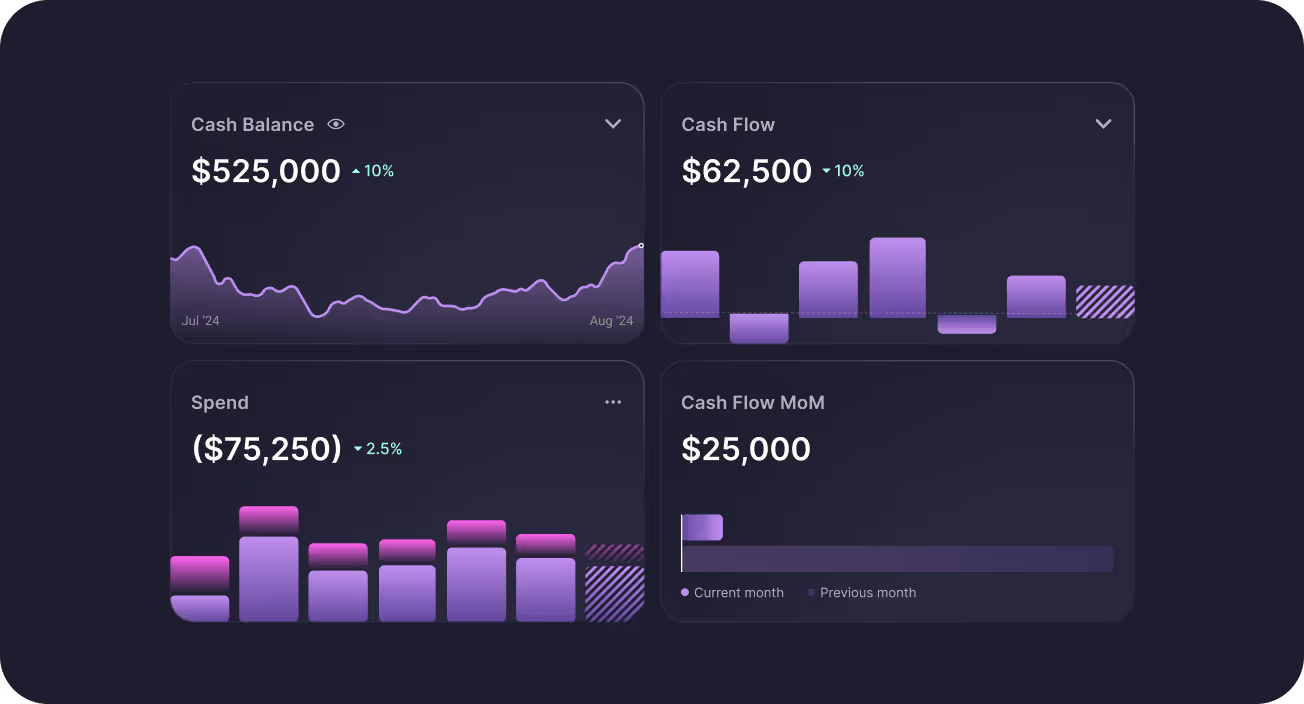
Stay ahead of cash flow shifts and spending patterns with real-time dashboards powered by your banking data. Whether it's tracking burn, runway, or unexpected spikes in card activity, It’s proactive financial insight built for fast-moving team


Automate the Monotonous, Focus on Growth
With direct integrations, tedious tasks like reconciliation, categorization, and duplicate detection happen automatically in the background. That means fewer manual errors for more time focused on what you are building, your customers, and scaling. Puzzle turns your financial ops into a strategic advantage.
Alignment That Instills Investor Confidence
With Puzzle connecting your banking, cards, and accounting, the whole team operates from the same real-time data. Founders stay on top of burn, operators move fast with clarity, and finance teams are always ready with investor-grade reports. When your team is aligned, your numbers tell a story investors can trust.
How to Connect
FAQs

Yes. Ramp has a direct integration with Puzzle. Connect Ramp as your spend / corporate card source so posted card activity flows into Puzzle’s ledger with merchant, amount, memo, and documentation instead of CSV downloads.
Puzzle pulls all Ramp card transactions in the sync date range. Receipts attached in Ramp sync to Puzzle. Categorizations made in Ramp sync to Puzzle once on the initial sync—later category edits in Ramp need to be updated in both places. If the bills option is turned on for the Ramp connection, Ramp bills sync to Expenses → Bills and can be marked Paid in Puzzle as they are paid in Ramp; if bills are off, bills do not sync. With 2-way sync, Puzzle also pulls items you mark Ready to sync in Ramp.
Puzzle syncs Ramp automatically about once every 24 hours (direct integrations sync at least once a day, early morning Pacific). To pull recent activity right away, go to Integrations and click Sync all (there is no separate “Sync Ramp” button).
Partly. Puzzle can push your Chart of Accounts and Vendors to Ramp. Puzzle pulls transactions (and bills if enabled) from Ramp. Categorization does not push back from Puzzle to Ramp.
Connect Ramp from Puzzle’s Integrations page (and complete any Accounting / sync settings Ramp prompts). After the connection is active, Puzzle runs the regular daily sync; use Sync all if you need card activity sooner. If bill pay matters, confirm the bills option is on for the Ramp integration.
Yes for receipts: attachments on Ramp transactions sync into Puzzle. Accounting category and vendor fields travel with the Ramp → Puzzle pull (and with Ready to sync items if you use 2-way sync). Puzzle ignores Ramp’s “Accounting Date” field because definitions vary—update dates in Puzzle when needed.
See All Puzzle Integrations
Explore 400+ integrations to help you run your business




Let’s make automating your Accounting easier, together.
Tell us which integrations would improve your experience—we’re ready to build them.
FAQs
Puzzle’s Ramp integration pulls card transactions (and Ramp bills when bill sync is on), with receipts and Ramp categorization on the initial sync, while Puzzle can push your chart of accounts and vendors back to Ramp. Sync runs about once every 24 hours; use Sync all on Integrations when you need an update sooner.
Yes. Ramp has a direct integration with Puzzle. Connect Ramp as your spend / corporate card source so posted card activity flows into Puzzle’s ledger with merchant, amount, memo, and documentation instead of CSV downloads.
Puzzle pulls all Ramp card transactions in the sync date range. Receipts attached in Ramp sync to Puzzle. Categorizations made in Ramp sync to Puzzle once on the initial sync—later category edits in Ramp need to be updated in both places. If the bills option is turned on for the Ramp connection, Ramp bills sync to Expenses → Bills and can be marked Paid in Puzzle as they are paid in Ramp; if bills are off, bills do not sync. With 2-way sync, Puzzle also pulls items you mark Ready to sync in Ramp.
Puzzle syncs Ramp automatically about once every 24 hours (direct integrations sync at least once a day, early morning Pacific). To pull recent activity right away, go to Integrations and click Sync all (there is no separate “Sync Ramp” button).
Partly. Puzzle can push your Chart of Accounts and Vendors to Ramp. Puzzle pulls transactions (and bills if enabled) from Ramp. Categorization does not push back from Puzzle to Ramp.
Connect Ramp from Puzzle’s Integrations page (and complete any Accounting / sync settings Ramp prompts). After the connection is active, Puzzle runs the regular daily sync; use Sync all if you need card activity sooner. If bill pay matters, confirm the bills option is on for the Ramp integration.
Yes for receipts: attachments on Ramp transactions sync into Puzzle. Accounting category and vendor fields travel with the Ramp → Puzzle pull (and with Ready to sync items if you use 2-way sync). Puzzle ignores Ramp’s “Accounting Date” field because definitions vary—update dates in Puzzle when needed.