Puzzle + Rippling: From Pay Run to Journal Entry—Automatically
Integrate Rippling with Puzzle to automate payroll journal entries, categorize with precision, and stay audit-ready—without lifting a finger.

About
Rippling
Rippling is the all-in-one workforce platform that brings together payroll, HR, benefits, and IT. Designed for modern companies, Rippling helps businesses manage employee operations and compliance with ease—whether they’re 2 or 200 people strong.
How It Works
Connect Rippling and Puzzle to sync payroll data automatically. Each pay run is transformed into accurate journal entries in Puzzle, categorized by salaries, taxes, and benefits, with employee and department breakouts, so you are not hand-keying numbers. As payroll cash settles in your bank, Puzzle links those debits to payroll clearing for end to end reconciliation.



Streamline Your Books with Seamless Payroll Sync
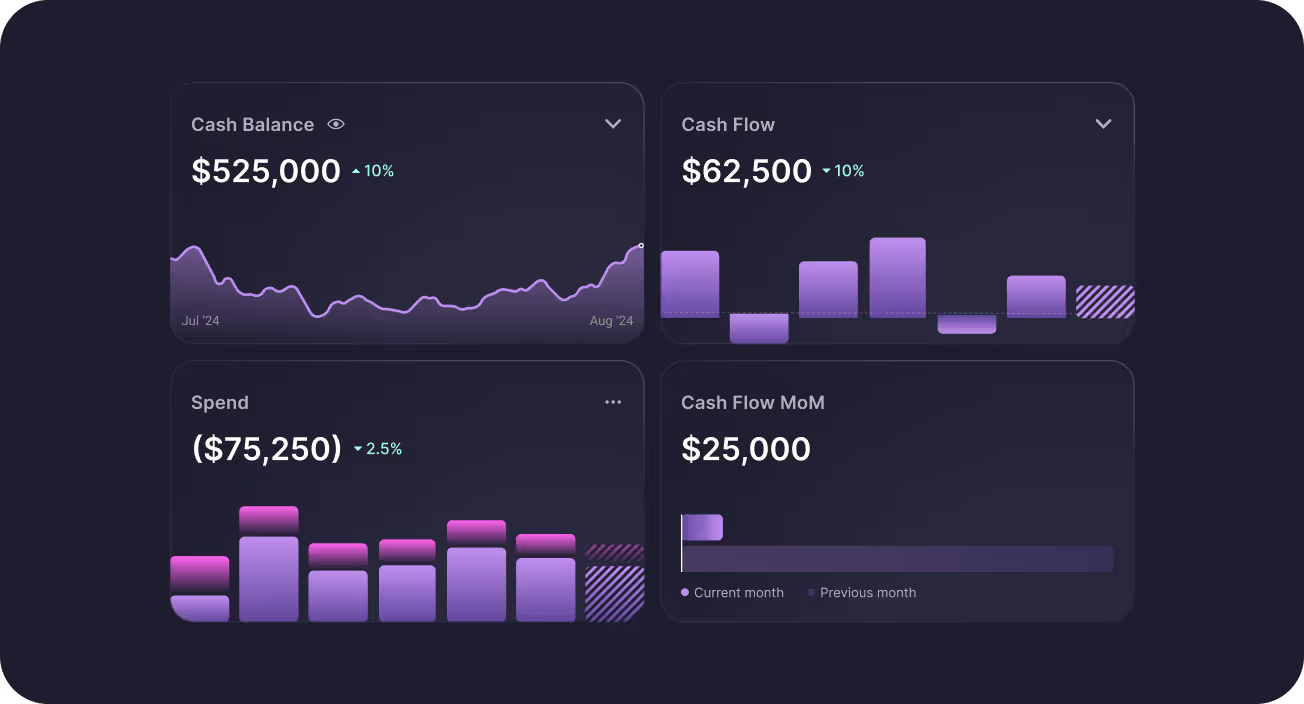
Integrate your payroll provider with Puzzle to automatically sync salary, bonus, and tax data—eliminating manual entry and reducing the risk of errors. Get real-time visibility into payroll expenses the moment they hit your accounts, with clean categorization and audit-ready records.
Built for Growth-Stage Teams
Whether you're paying a lean founding team or scaling quick, Puzzle grows with you. Support for multiple entities, and complex comp structures means you're always ready for what’s next—without changing tools.


Instant, Accurate Burn Tracking
Get real-time visibility into payroll expenses the moment they hit your accounts, with clean categorization and audit-ready records.
Simplify Compliance and Close Faster
Puzzle maps payroll entries directly into your accounting, aligning with GAAP and tax requirements from day one. Automate reconciliations and accelerate monthly close with accurate, categorized payroll data flowing in automatically.
How to Connect
FAQs

Yes. Rippling is a direct payroll integration. For automated sync, connect through Rippling’s app store and keep the Rippling add-on active on a paid Puzzle plan (or Premium Free Trial). You also need Rippling’s Identity & Access Management package in Rippling.
Puzzle syncs domestic contractors and domestic payroll (W-2). Puzzle does not sync global contractors, PEO, or EOR through this integration, and does not support Global Payroll via Rippling at this time. Synced pay runs become payroll journal entries you can review in Puzzle, with clearing used to match bank activity.
After one-time setup, Rippling’s automated payroll data sync continues without manual imports each period. Puzzle’s partner syncs also run on the daily/overnight schedule. If data is missing, confirm you are on a paid plan with the Rippling add-on (or Premium Free Trial), that Rippling IAM is purchased, and that the connection is active—then sync/reconnect as needed.
Yes. Rippling charges $2 per employee/contractor per month for API access, added as a Rippling add-on in Puzzle. If you prefer not to pay the add-on, you can enter payroll manually in Puzzle (~10 minutes per pay period via the manual payroll tool or journal entries).
Each synced pay run is transformed into categorized journal entries (for example salaries, taxes, and benefits) with employee and department breakouts where available. As payroll cash leaves your bank, those withdrawals are linked through payroll clearing for end-to-end reconciliation.
Subscribe to the Rippling add-on in Puzzle (Settings → Billing), complete Rippling’s app-store / IAM requirements, and authorize the connection so automated payroll sync can run. If you skip the add-on, use Puzzle’s manual payroll entry instead.
See All Puzzle Integrations
Explore 400+ integrations to help you run your business


Let’s make automating your Accounting easier, together.
Tell us which integrations would improve your experience—we’re ready to build them.
FAQs
Puzzle’s Rippling integration turns domestic W-2 payroll and domestic contractor pay runs into categorized journal entries with employee/department breakouts, then helps match bank withdrawals through payroll clearing. Automated sync requires Rippling’s app-store connection plus Puzzle’s Rippling add-on (Rippling charges $2 per employee/contractor per month for API access).
Yes. Rippling is a direct payroll integration. For automated sync, connect through Rippling’s app store and keep the Rippling add-on active on a paid Puzzle plan (or Premium Free Trial). You also need Rippling’s Identity & Access Management package in Rippling.
Puzzle syncs domestic contractors and domestic payroll (W-2). Puzzle does not sync global contractors, PEO, or EOR through this integration, and does not support Global Payroll via Rippling at this time. Synced pay runs become payroll journal entries you can review in Puzzle, with clearing used to match bank activity.
After one-time setup, Rippling’s automated payroll data sync continues without manual imports each period. Puzzle’s partner syncs also run on the daily/overnight schedule. If data is missing, confirm you are on a paid plan with the Rippling add-on (or Premium Free Trial), that Rippling IAM is purchased, and that the connection is active—then sync/reconnect as needed.
Yes. Rippling charges $2 per employee/contractor per month for API access, added as a Rippling add-on in Puzzle. If you prefer not to pay the add-on, you can enter payroll manually in Puzzle (~10 minutes per pay period via the manual payroll tool or journal entries).
Each synced pay run is transformed into categorized journal entries (for example salaries, taxes, and benefits) with employee and department breakouts where available. As payroll cash leaves your bank, those withdrawals are linked through payroll clearing for end-to-end reconciliation.
Subscribe to the Rippling add-on in Puzzle (Settings → Billing), complete Rippling’s app-store / IAM requirements, and authorize the connection so automated payroll sync can run. If you skip the add-on, use Puzzle’s manual payroll entry instead.