Businesses run on cash. Accountants close on accrual.
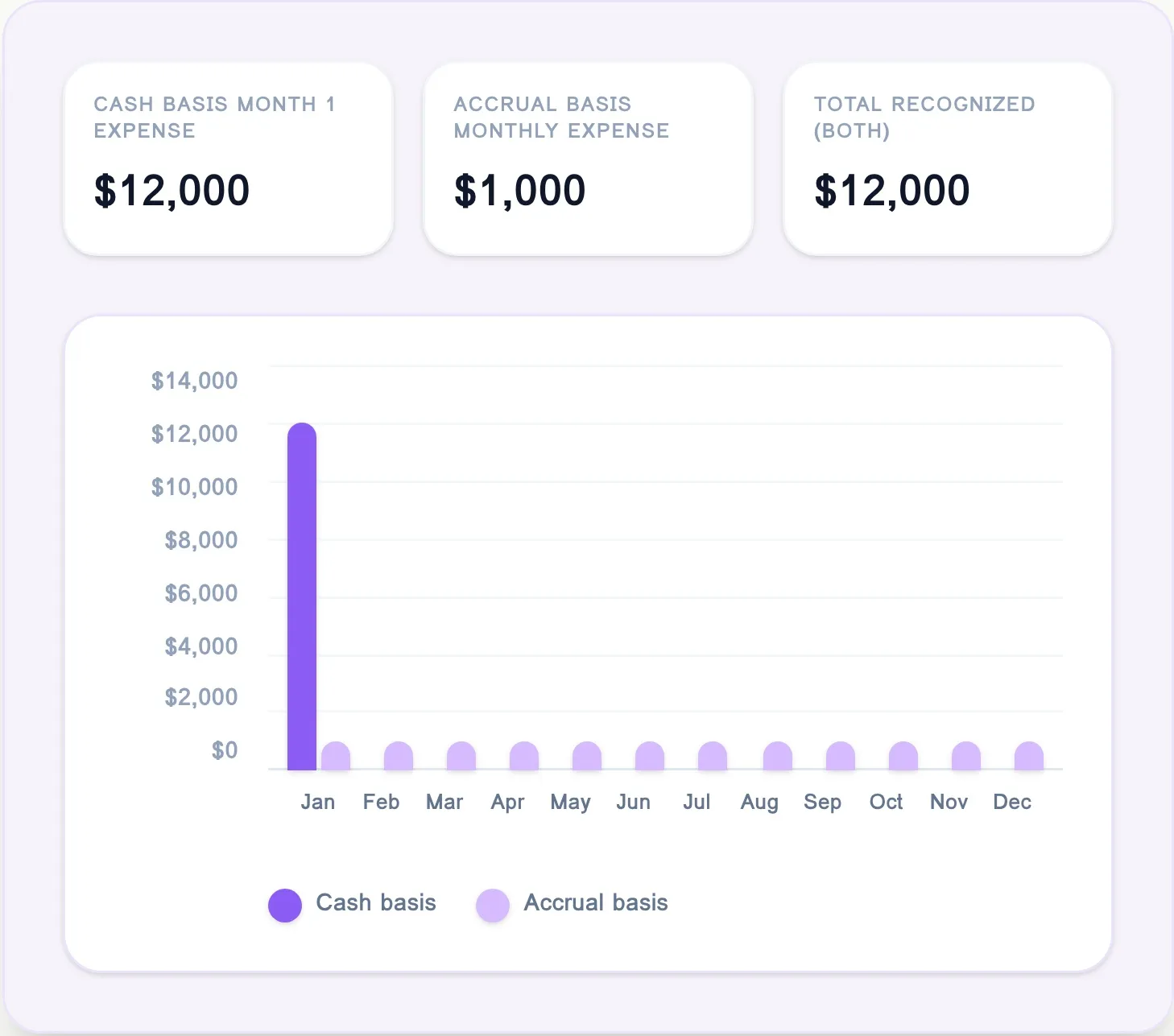
Puzzle generates two different general ledgers from the same underlying data, resulting in two different reporting views.
7,000+ accounting firms and startups trust Puzzle.









The Cash-to-Accrual Gap Creates Manual Work
Founders Need Cash Visibility
Cash tells founders whether they can hire, spend, survive, or grow. But investors, auditors, and lenders don’t operate on cash-basis books.
Firms Need Accrual Accuracy
Legacy systems push accrual work into spreadsheets. Prepaids, depreciation, deferred revenue, amortization schedules. Closes happen outside the ledger.
Legacy systems force firms to maintain cash and accrual workflows separately. Schedules live in spreadsheets, adjustments happen offline, and reconciliation becomes part of every close.
Continuous Ledger Lifecycle
How transactions flow seamlessly from source to cash and accrual views without manual journal entries.
1. Transaction
Bank feed triggers expense or revenue event
2. Schedule
Puzzle drafts automated schedule in real-time
3. Monthly Entries
Individual unsummarized entries generated
4. Review
Firm reviews and approves schedules before posting
5. Post
Ledger posts monthly and updates dual views
How Puzzle Eliminates Manual Accrual Work:
How Puzzle Works: Built Into the Ledger, Not Bolted On
Legacy platforms calculate accruals outside the ledger and summarize the results. Puzzle drafts schedules and journal entries directly inside the ledger itself.
Example: Revenue Recognition Built Into the Ledger
Revenue Recognition is one of the most powerful examples of accrual automation. Puzzle continuously drafts revenue schedules from Stripe, Bill, and Mercury activity, feeding directly into the same continuous ledger powering your cash and accrual views.
Questions we hear a lot.

Puzzle supports many times of amortization or depreciation schedules based on your firm’s preferences. Once approved, the ledger continuously updates both the cash and accrual views. You can view, change, edit or cancel anytime.
Yes. Your firm maintains complete control over the accounting policies. You can set default depreciation methods, useful life guidelines, and capitalization thresholds.
You can also manually adjust schedules directly in the UI and the ledger instantly updates the downstream impact without requiring you to manually delete and recreate journal entries.
Yes. Puzzle maintains cash and accrual reporting simultaneously from the same transaction data, allowing firms to move between operational cash visibility and accrual reporting without maintaining separate workflows.
New accrual schedules require initial review and approval to maintain your firm's standards. Once approved, Puzzle automatically posts subsequent journal entries generated by that schedule until the schedule ends or is modified (for example, when an asset is disposed of).




Accurate Books.
At AI Speed.
Stop wasting hours on manual journal entries for prepaids, depreciation, and bill matching. Join the modern accounting firms and fast-growing startups building on the platform designed for the agent era.