Puzzle API & MCP
One ledger. Two ways in.
Puzzle gives developers, teams and AI tools secure access to a continuously accurate, real-time general ledger. Build products on the Puzzle API. Connect Claude and ChatGPT to your books with Puzzle MCP.
10,000+
$50B+
10,000+ companies trust Puzzle.









Connect your books to Claude and ChatGPT.
Puzzle MCP connects your Puzzle accounting data to Claude, ChatGPT and other AI assistants. Ask about cash, burn and runway, pull financial statements, and hand off bookkeeping work like categorization and reconciliation, with your approval at every step.
You choose the companies. You set the access.
AI accounting automation, with every step in your control.
Choose your agent’s access.
Connect one company, several, or every company you manage. Start with read-only access for financial questions and analysis, then enable read-write access when you want your AI agent to update the books. Adjust or revoke access in Puzzle anytime.
Put accounting skills to work.
Puzzle’s built-in accounting skills guide your agent through categorizing transactions, managing bills, bank reconciliation and month-end close. Your agent follows Puzzle’s playbooks for each company you connect.
Review. Confirm. Apply.
Your agent prepares proposed changes for you to review before anything is applied. Built-in approval checks require your confirmation for proposed transaction updates, so you stay in control of your books.
Ask Claude or ChatGPT about your finances.
“What’s our runway, and how has burn changed?”
“Show me last month’s income statement.”
“Suggest categories for the transactions that need review.”
Connect Puzzle MCP in four steps.
Puzzle MCP is a hosted server. Add it to Claude, ChatGPT, Cursor, Codex or any assistant that supports MCP connectors, and sign in with your Puzzle account.
Add a custom connector.
In Claude, go to Customize → Connectors, then click + and Add custom connector. In ChatGPT, open Plugins and add a custom MCP server.
Enter the server URL.
Name it Puzzle MCP and paste https://app.puzzle.io/mcp.
Sign in to Puzzle.
Authenticate with OAuth, choose which companies the connection covers, leave Read-only on and click Allow.
Ask about your books.
Start a new conversation and try “What does my income statement look like this quarter?”
https://app.puzzle.io/mcp
Sign in with your Puzzle account through OAuth.
Read-only by default. Write access is an opt-in Beta, and every change needs your confirmation.
Requires Full or Partial access to each company, with AI turned on in Puzzle.
Step-by-step guides: connect Claude to your accounting software, connect ChatGPT to your accounting software, and Puzzle’s setup guide.
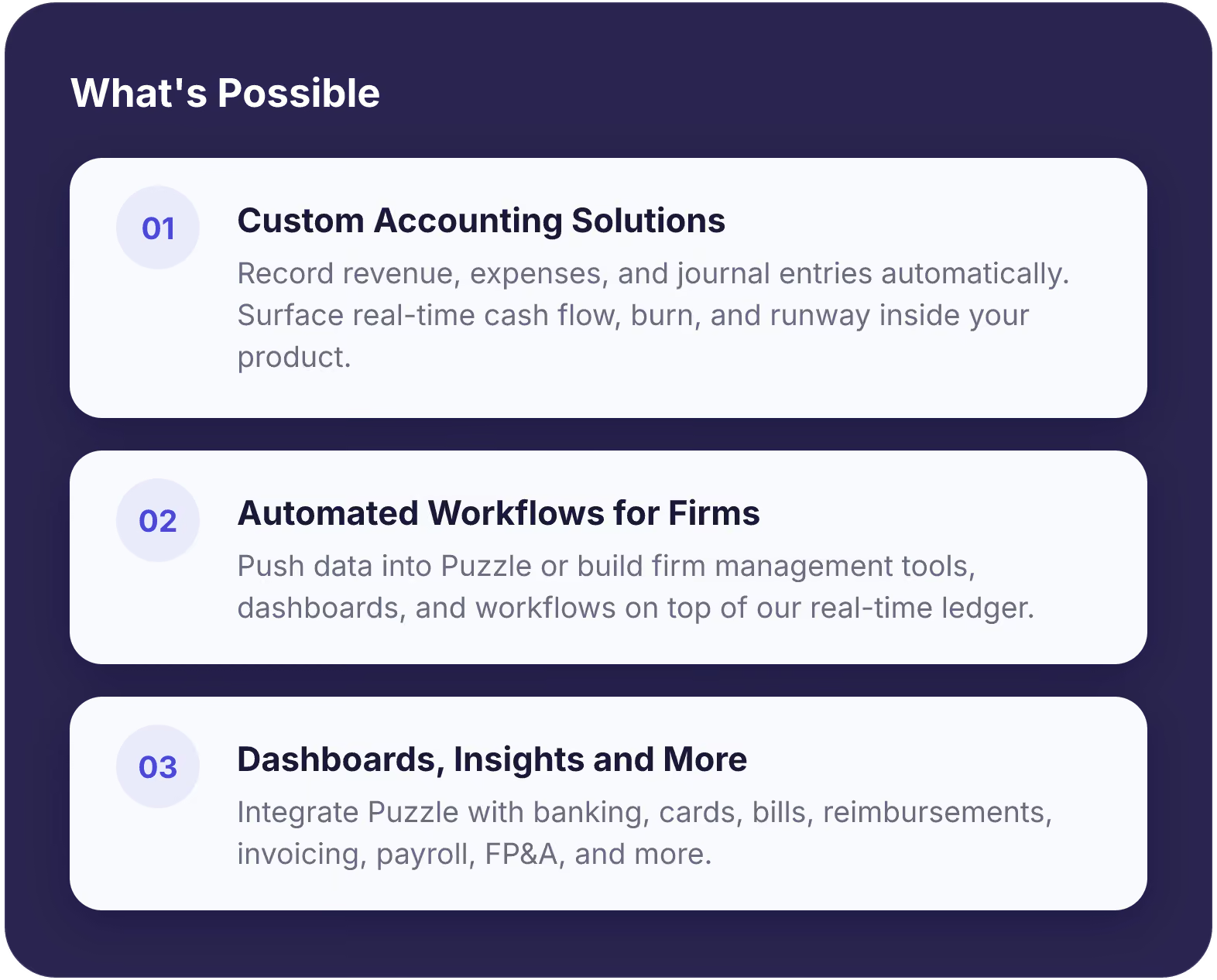
Build better accounting solutions with Puzzle's API.
Access Puzzle's real-time general ledger through developer-friendly APIs. Build dashboards, workflows, and financial applications on top of continuously accurate accounting data.



What partners are building with Puzzle
One click. Instant accounting.
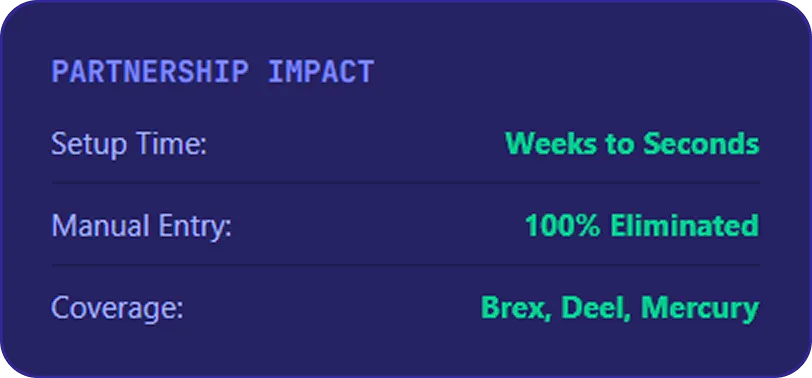
With Brex and Deel, accounting setup goes from weeks to seconds. By embedding Puzzle directly into their platforms, customers automatically sync expenses, payroll, and global contractor data, eliminating manual journal entries and setup friction.
Bookkeeping handled instantly inside Slack.
Central and Puzzle built an AI-powered accounting assistant inside Slack to automate the back office for founders. Setup took just 15 minutes, delivering a fully automated back office.
Forecast-ready books from day one.
Ramp and Puzzle helped accounting firm Parallel deliver faster SaaS forecasting. By combining automated Ramp spend data with Puzzle's real-time ledger, clients got immediate visibility into burn and runway.
Implementation cut from 6h to 1.5h.
Brex and Puzzle helped FinFuego set up accounting in one click and eliminate manual onboarding: saving their operations team 4 hours every single week.
Use Puzzle MCP to connect Claude, ChatGPT and other AI assistants to your ledger for analysis, reporting, and accounting work you approve.
Use Puzzle's API to build dashboards, workflows, and custom accounting experiences.
FAQs

Puzzle MCP is Puzzle’s Model Context Protocol (MCP) server. MCP is an open standard that lets AI assistants connect securely to apps and data. Puzzle MCP connects your accounting data to Claude, ChatGPT and other assistants, so you can ask questions about your finances and hand off accounting work from the AI tool you already use.
Puzzle MCP works with Claude (Claude.ai, Claude Desktop and Claude Code), ChatGPT, Codex, Cursor, Windsurf and any other MCP-compatible client.
Add Puzzle as a connector in your AI assistant, sign in with your Puzzle account, and choose which companies to share. Then start a new conversation and ask about your books. Follow our step-by-step Puzzle MCP setup guide.
Only if you allow it. Puzzle MCP connections start with read-only access. You can enable read-write access when you want your agent to update the books, and built-in approval checks require your confirmation for proposed transaction updates before they are applied. Adjust or revoke access in Puzzle at any time.
Yes. Connect one company, several, or all the companies you manage. That makes Puzzle MCP useful for founders with multiple entities and for accounting firms managing client books.
For each company you connect, your assistant can access financial statements such as the balance sheet, income statement and trial balance, plus transactions, journal entries, chart of accounts, invoices, bills, vendors, customers, and cash, burn and spending metrics.
Puzzle’s built-in skills guide your agent through tasks like categorizing transactions, managing bills, reconciliation and month-end close. You can also ask for reports and analysis, such as your runway, burn trends or last month’s income statement.
Puzzle MCP re-authenticates every 5 days for security. High-volume usage is rate-limited during the current alpha. If you’re hitting limits, contact support@puzzle.io.
You sign in with your Puzzle account and choose which companies your AI can access, and at what level. Read-write access is opt-in, and proposed transaction updates need your confirmation. Learn more about how Puzzle protects your data on our security page.
The Puzzle API gives developers secure, programmatic access to Puzzle’s real-time general ledger. Use it to build dashboards, workflows and financial applications on top of continuously accurate accounting data.
Use the Puzzle API to build custom dashboards, automated workflows and accounting experiences directly in your product. Use Puzzle MCP to connect AI assistants like Claude or ChatGPT to your live general ledger for analysis, natural-language reporting and accounting work you approve.
The Developer API provides secure access to key accounting resources, including real-time cash flow and burn rate metrics, chart of accounts, transaction histories, journal entries, financial reports (balance sheet and income statement), and tax-ready summaries.
Teams use the Puzzle API to embed accounting into their own products, automate back-office workflows and power financial dashboards. Partners like Brex, Deel and Central have built on Puzzle to give customers instant, accurate books. Read the Central case study.
Email api@puzzle.io to request API access.
Explore the Puzzle developer docs for endpoint references, guides and examples.




Ready to stop thinking about accounting?
Join 10,000+ companies using Puzzle to keep their books accurate, real-time, and out of the way.