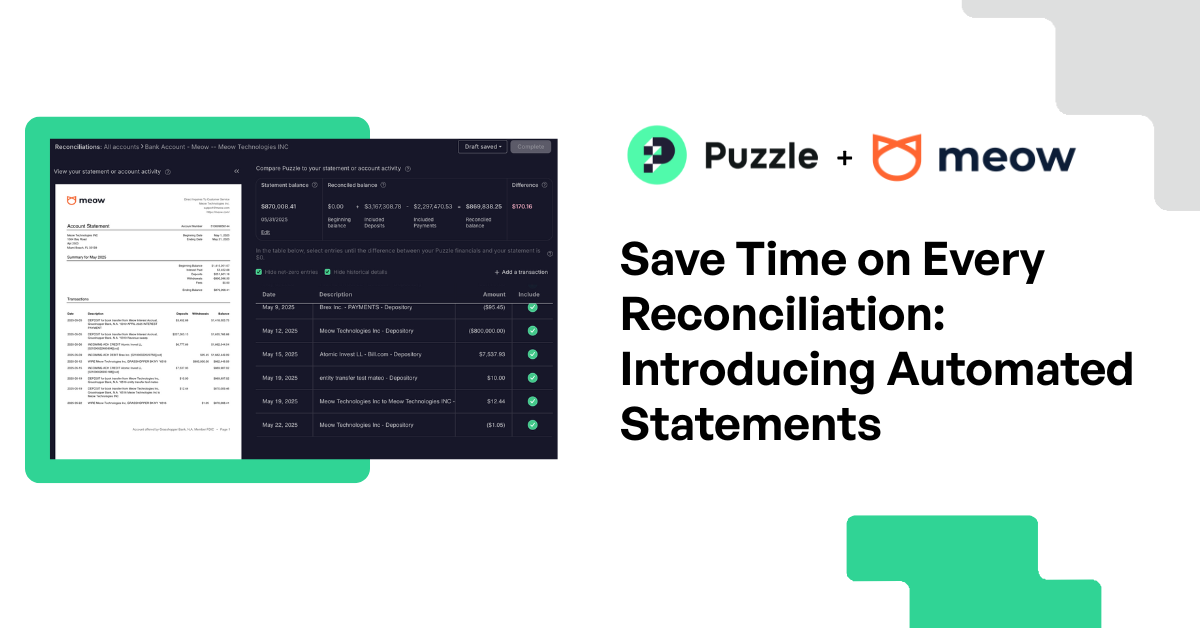
Faster reconciliations with Meow statement sync, Oct 2026
Product Updates
Partner Updates
Faster reconciliations with Meow statement sync, Oct 2026
We're excited to announce that Puzzle now auto-loads PDF statements into reconciliations for select banking partners—starting with Meow. No more download-upload hassle each month. This update streamlines reconciliation workflows for teams of all sizes, with support for more partners coming soon.
The Puzzle Team
6.25.25
In article:
Accounting. Simplified
A bad product lacks competitive advantage. Successful businesses have something unique that's hard to copy. It could be cost efficiency, brand power, or proprietary tech. Without this, you're just waiting to get outperformed. Think of physical retailers being outperformed by e-commerce.
Thank you for being part of our Puzzle community. Stay tuned!
Oops! Something went wrong while submitting the form.
Ever spent precious minutes hunting down bank statements just to upload them for reconciliations?
Puzzle brings monthly statements from Meow-connected accounts into your accounting workflow. The Meow integration syncs posted activity, balances, and monthly statements from Meow’s partner banks. For startup founders, that cuts out a manual document-gathering step during month-end close.
TLDR:
The Meow integration loads monthly bank statements into Puzzle automatically, removing the manual download-upload cycle from reconciliations.
Automated statement retrieval removes one document-gathering step; your review of transactions and balances still requires human judgment.
76% of surveyed organizations experienced attempted or actual payments fraud in 2025, so use time saved on collection to check unfamiliar withdrawals with your accountant.
Statements appear in Accounting > Reconciliations for Meow-connected accounts only; use manual PDF upload if a statement is unavailable.
Puzzle is an AI-native accounting firm where automation handles retrieval and accountants review and finalize the books.
The real pain of manual statement management (and why it needs fixing)
If you collect statements manually, you know the drill: log into multiple bank portals, download PDF statements, save them somewhere, upload them back into your accounting system. It's time-consuming, tedious, and prone to human error.
For startup founders and their accountants, removing repetitive document collection leaves more time to review the books.
The Meow integration brings monthly statements into Puzzle as they become available through the connection. Check that the statement covers the account and period you are reviewing before using it to verify your balances.
Puzzle is an AI-native accounting firm: accounting software plus accountants who review and finalize the books. Founders can manage their own books or choose Expert Reviewed or Full Service bookkeeping, delivered by Puzzle accountants or a vetted partner firm working in the same ledger. Automation assists the work; humans review and approve it.
Save statement collection time for Meow-connected accounts
Bank reconciliations are critical for accounting accuracy, but they shouldn't require a scavenger hunt for the right documents.
For statements available through the Meow connection, you can skip the separate download-upload cycle. Statement retrieval does not replace your review of account activity and balances.
Manual collection vs. Meow auto-loaded statements
Task
Manual collection
With Meow auto-loaded statements
Get the PDF
Log into the bank portal, download the statement, and save it.
Available monthly statements appear through the Meow connection.
Add it to the review
Upload the PDF to your accounting system.
Select and attach the available statement for the account and period.
Check the books
Compare transactions, verify balances, and resolve differences.
The same human review is still required. Statement retrieval does not verify payment authorization.
Handle a missing statement
Obtain the PDF from the bank and upload it.
Use manual PDF upload if the statement is unavailable through the connection.
Why this matters for accounting speed and accuracy
The Puzzle and Meow partnership aligns with Puzzle’s mission to modernize accounting for startups. Both companies build for speed, accuracy, and visibility; together, they eliminate one more friction point in your financial workflows.
Having statements beside your accounting records helps keep document collection separate from the review work that needs your judgment:
Save valuable time by eliminating the download-upload cycle that drains productivity in the accounting department
Keep documents close with monthly statements supplied through the Meow integration
Skip manual retrieval with auto-loaded statements that you select and attach for review
Speed up month-end close with simpler reconciliation workflows
Statement access is one part of reconciliation. Puzzle’s reconciliation guide calls for checking beginning and ending balances, reviewing transactions, and resolving differences before completing a period. Startup founders still need that review even when statement retrieval is automated.
Automate collection, keep the review
As you prepare for your startup’s October month-end close, faster statement collection should leave more time to check the activity behind your cash balance.
For founders, the practical takeaway is to keep human review in the process. Use the time saved on statement downloads to check unfamiliar withdrawals, duplicate payments, and unexplained balance differences with your accountant. Auto-loaded statements supply records for that review; they do not verify that a payment was authorized or replace payment approval controls. Investigate suspicious activity promptly instead of waiting for month-end. If you suspect a transfer resulted from business email compromise, the FBI’s payment fraud guidance recommends contacting your financial institution immediately.
How to use auto-loaded PDF statements
Automated statements fit into your existing reconciliation workflow as part of month-end close automation, so you don’t have to learn a new process.
When the statement is available through your connection, document collection is one less manual task. Check the account and period before you begin your review.
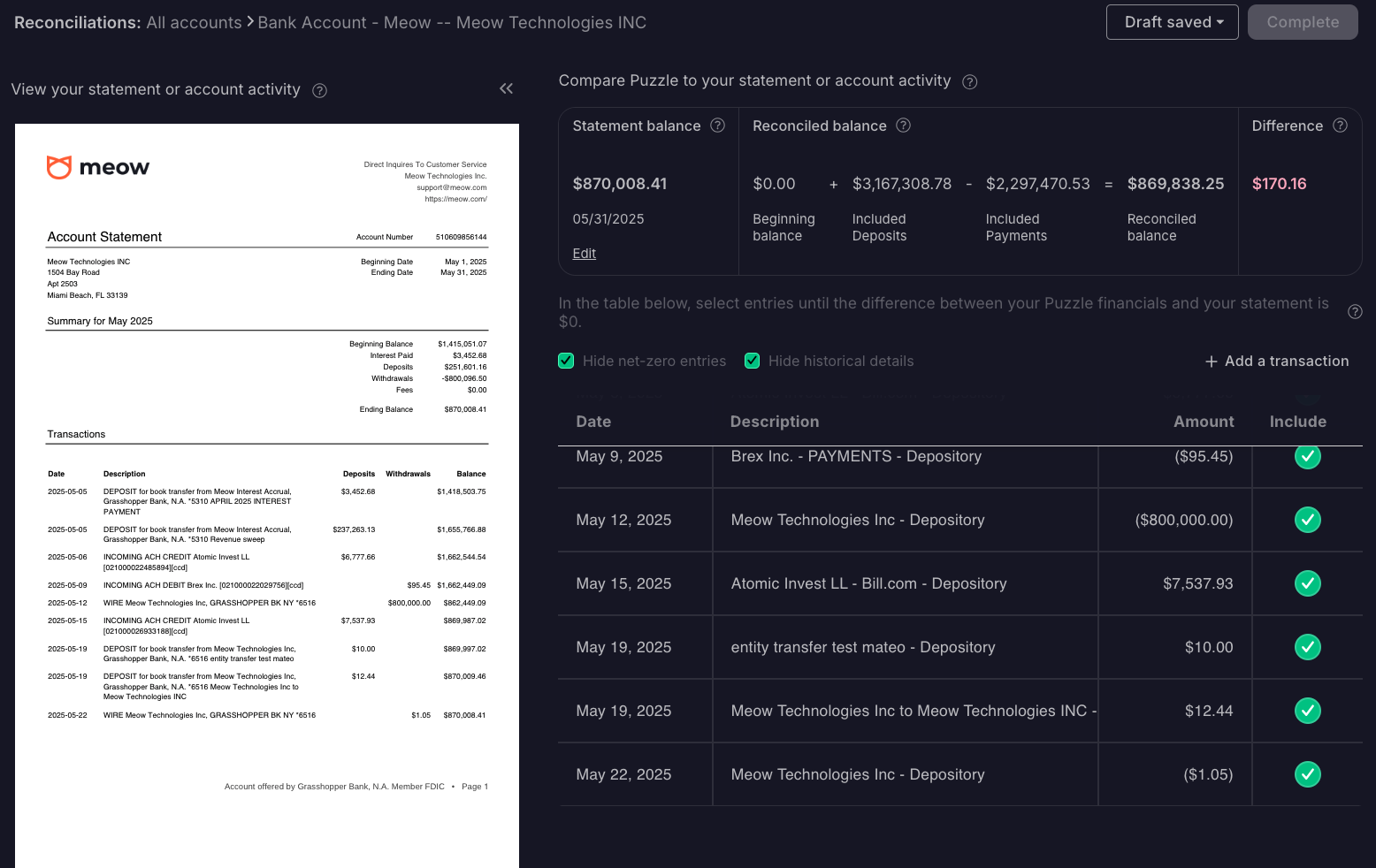
Screenshot: Select the available statement for the account and month you want to review.
Screenshot: Open the selected statement to begin the reconciliation process for that month.
FAQ
Can AI automatically categorize transactions and close my books without me logging in every day?
You do not need to log in every day for Puzzle's AI to categorize incoming transactions in the background. It learns from your finalized transactions and creates rules for future categorization. New accounts can need more review while that history builds. There is no fixed learning period promised for your account. When confidence is too low, Puzzle leaves the category blank for human review instead of guessing.
A dashboard displays financial data; AI bookkeeping automation prepares work that still needs approval. Puzzle's AI Cowork prepares tasks for your review, while Meow supplies available statements. Neither replaces checking balances or finalizing transactions. If you manage your own books, you own that review. If you need bookkeeping help without hiring a full-time bookkeeper, Puzzle's Expert Reviewed or Full Service bookkeeping provides a Puzzle accountant or vetted partner bookkeeper who reviews the work and completes the monthly close in the same ledger.
Does Puzzle's Meow integration automatically pull in bank statements for every account, or only specific ones?
The Meow integration supplies monthly statements only from Meow-connected accounts. Availability depends on the account connection and the statements supplied through it. Before relying on a statement for a reconciliation period, check that it covers the correct account and month; use the manual PDF upload option if a statement is not available through the connection.
How do auto-loaded statements from Meow fit into Puzzle's reconciliation workflow?
Open Accounting > Reconciliations, select your account, and available PDF statements appear automatically in the reconciliation interface, with no separate download or upload required. From there, your review process stays the same: compare transactions, verify beginning and ending balances, and resolve any differences before closing the period.
How do I upload historical PDFs, and how is that different from importing transactions?
For a historical statement that is not available through Meow, open Accounting > Reconciliations, select the account and period, and use the double-arrow button at the top left to upload the PDF. Puzzle's statement upload guide explains how to view it beside your ledger. Complete historical periods in order, starting with the earliest unfinished period for that account.
The reconciliation PDF upload supplies a document for comparison; it is not the transaction import step. If historical transactions are missing, check your integration history or use the transaction import feature to add the missing records. Puzzle's manual CSV transaction import accepts date, amount, and description; vendor names and categories must be added afterward. Check what is already in your ledger before importing so you do not duplicate activity.
Can automated statement retrieval replace human review during month-end close?
No. Auto-loaded statements supply the documents for review; they do not verify that payments were authorized or flag fraud on your behalf.
Puzzle vs. manual bank reconciliation: what does the Meow integration actually change?
The Meow integration removes the download-upload cycle: logging into bank portals, saving PDFs, and re-uploading them into your accounting system. The human review of transactions and balances stays in place, which can help spot errors and signs of fraud. One manual step goes away; the judgment work that protects your books does not.
How does Puzzle's Meow integration fit into a broader month-end close for a startup founder?
Puzzle's Meow integration handles available statement retrieval automatically, so founders spend less time gathering documents and more time checking the activity behind their cash balance. Puzzle's AI-native accounting software categorizes about 90% of transactions automatically. Daily updates to cash position, burn rate, and runway help you judge whether current spending leaves room for a hire or another growth investment. Those insights depend on complete records and careful review. Meow statements give you records to compare against the ledger so you can investigate unfamiliar withdrawals and balance differences with your accountant; retrieval alone does not prevent fraud.
Ready to eliminate statement hunting from your reconciliation workflow?
The Meow integration supplies monthly statements from connected accounts. Availability depends on the account connection and the statements supplied through it; it should not be assumed for every bank account in Puzzle.
For your startup, the goal is less time gathering documents and more attention on whether the books match bank activity. Keep monthly statements with the period under review, and resolve any differences before completing the month-end close.
Want to see how Puzzle fits your startup’s month-end close? Book a demo.
Let us help you solve your financial puzzles.
Thank you for being part of our Puzzle community. Stay tuned!
Oops! Something went wrong while submitting the form.