In the News
Xero vs QuickBooks: Which Is Best for Startups? October 2026
Compare Xero vs QuickBooks for startups in February 2026. Learn which accounting software handles burn rate, runway tracking, and fintech integrations better.

3.10.26
Compare Xero vs QuickBooks for startups in February 2026. Learn which accounting software handles burn rate, runway tracking, and fintech integrations better.
You're weighing QuickBooks vs Xero because you need proper accounting software now that you've raised a seed round and your investors want clean financials. Both handle basic bookkeeping fine, but neither was designed for the specific challenges venture-backed companies face: tracking burn rate and runway daily, maintaining both cash and accrual books simultaneously for GAAP compliance, or automating revenue recognition for SaaS subscriptions. The $20 to $80 monthly price tags look reasonable until you realize you'll need separate tools or custom spreadsheets for the metrics that actually matter to your board. Instead of real-time visibility into whether you have 8 months or 14 months of runway left, you're manually matching transactions at month-end and hoping your formulas are right.
TLDR:
Xero is a cloud-based accounting product from New Zealand serving over 4 million users across 180 countries. The software handles invoicing, expense tracking, bank reconciliation, and financial reporting for small to mid-sized businesses needing multi-currency support.
Xero offers unlimited users at no extra charge, which differs from per-seat pricing models. Plans start at $20 per month, with higher tiers required for project tracking and multi-currency accounting. The product connects to over 1,000 applications through its app marketplace.
Bank reconciliation automatically imports transactions and suggests matches based on patterns. The interface is simpler than QuickBooks, and IFRS compliance supports international operations.
For startups using modern fintech tools, Xero relies on third-party aggregators for many integrations instead of direct API connections. This creates friction when connecting tools like Stripe, Ramp, or Mercury.
QuickBooks Online is Intuit's cloud-based accounting software with plans from $20 to $275 monthly across five tiers. The software connects to banks, categorizes transactions, handles invoicing, and generates financial reports. Intuit Assist provides AI features for categorization and data entry. The ecosystem includes connections to approximately 750 apps.
QuickBooks Live offers human bookkeepers as a separate service. This bookkeeping offering competes directly with accounting firms, creating tension with the professional community that built practices around the software.
The software was designed for traditional small businesses, not venture-backed companies. Startups seeking AI accounting alternatives to QuickBooks need specific tools for burn rate tracking, runway calculations, and investor-ready metrics that weren't part of the original design.
Startups run on Stripe for payments, Mercury or Brex for banking, Ramp for corporate cards, and Gusto or Rippling for payroll. How your accounting software fits your startup banking stack determines how much manual work you'll do each month.
Both QuickBooks and Xero connect to Stripe, Ramp, and other fintech tools, but Xero frequently relies on third-party aggregators like Plaid over direct API connections. This creates sync delays and data mismatches that require manual corrections.
QuickBooks offers similar aggregator-based connections through its app marketplace. Direct integrations exist for some tools, but many require third-party middleware that introduces another failure point.
The result: transactions fail to sync, duplicates appear, or categorization breaks. For Mercury, Ramp, or Brex users, these connection issues mean the time savings you expected from automation never materialize. Neither product was built with direct fintech APIs as a design priority.
| Feature | Xero | QuickBooks | Puzzle |
|---|---|---|---|
| Fintech Integration Method | Third-party aggregators like Plaid for most tools, creating sync delays and data mismatches | Mix of aggregators and third-party middleware through app marketplace, introducing failure points | Direct API connections to Stripe, Mercury, Ramp, Brex eliminating aggregator issues |
| Burn Rate & Runway Tracking | Not included - requires manual spreadsheet exports and custom models to calculate | Not included - requires manual spreadsheet work outside the system | Built-in dashboard with daily automatic updates, no spreadsheets required |
| Revenue Recognition for SaaS | Supports accrual accounting but requires manual journal entries or external spreadsheets for deferred revenue schedules | Supports accrual accounting but lacks automated revenue recognition for subscriptions | Automated revenue recognition for Stripe subscriptions with proper deferred revenue tracking |
| Dual-Basis Accounting | Accrual basis available, but maintaining both cash and accrual views simultaneously requires separate reports and manual reconciliation | Can switch between cash and accrual reporting but cannot maintain both views simultaneously | Maintains cash and accrual basis accounting simultaneously without manual work |
| Transaction Categorization | Pattern-based matching for bank reconciliation suggestions | AI features through Intuit Assist for categorization and data entry | AI processes 85–90% of transactions automatically, learning from patterns |
| Pricing Range | $20-$80 monthly, unlimited users included, but higher tiers required for multi-currency and project tracking | $20-$275 monthly across five tiers, per-seat pricing limits users, frequent price increases | Built for startups with transparent pricing focused on value not per-seat limitations |
| Target Customer | Small to mid-sized businesses across 180 countries needing multi-currency support | Traditional small businesses, not designed for venture-backed companies | Venture-backed startups with modern fintech stacks |
Founders need to know their burn rate, runway, and cash position daily. Neither Xero nor QuickBooks delivers this for startups without manual work.

Xero provides standard financial reporting like P&L and balance sheets, but burn rate calculations and runway tracking aren't built in. You'll export data to spreadsheets and build your own models to answer "how many months until we run out of cash?"
QuickBooks offers cash flow projections and basic reporting, but startup-specific metrics aren't included. You can see what cash came in and went out, but translating that into burn rate or runway requires manual work outside the system.
Both update when you match and categorize transactions, which typically happens monthly during close. Checking your runway mid-month means returning to spreadsheets and making assumptions about uncategorized transactions.
Seed and Series A companies should maintain 12-18 months of runway. Tracking this shouldn't require exporting data and rebuilding formulas each time you need an update.
SaaS companies selling subscriptions need revenue recognition. You collect $1,200 for an annual subscription today but can only recognize $100 each month on your P&L. This deferred revenue accounting is required for GAAP compliance and investor reporting.
Both QuickBooks and Xero support accrual basis accounting, but neither makes revenue recognition for SaaS subscriptions straightforward for subscription businesses. QuickBooks lets you switch between cash and accrual basis reporting, but you can't maintain both views simultaneously without running separate reports and adjusting entries manually.
Xero provides accrual accounting and invoicing, but automated revenue recognition schedules for recurring Stripe subscriptions aren't included. You'll create manual journal entries each month or maintain spreadsheet schedules outside the system to track deferred revenue balances.
For startups, this creates a problem. You need cash vs. accrual accounting for startups explained clearly: cash basis to understand actual money movement and accrual basis for investor updates and tax filing. Managing both means double work or paying for third-party tools.
Companies with subscription revenue exceeding $50K monthly typically hit the point where spreadsheet-based revenue recognition becomes risky. Manual entries introduce errors, and investor diligence expects automated systems with proper audit trails.
If you're comparing QuickBooks or Xero right now, the pricing picture looks different than it did even six months ago. Both companies raised prices in 2026, and the increases are large enough to change the math on your accounting stack.
QuickBooks Online raised prices on August 1, 2026. QBO Plus jumped from $115 to $140 per month, a 22% increase. Advanced went from $275 to $340 per month, a 24% increase. The Advanced bump includes payroll functionality that was previously sold separately, but the combined sticker price is still a sharp jump for a seed-stage company watching burn.
Xero is following with its own round of increases, effective October 1, 2026. US plans are going up across the board: the Growing plan moves from $55 to $59, and the Premium plan rises from $90 to $97. Smaller increases than QuickBooks, but another data point in a consistent trend: these tools have been repricing upward every 12 to 18 months since 2021.
The pattern matters more than any single price change. If you're picking accounting software now, build in the assumption that your subscription cost will keep climbing. That's a different calculation than it was at the original $20 entry price.
Xero's Early plan starts at $20 monthly, but features like multi-currency support and project tracking require the $80 tier. All Xero plans include unlimited users. The entry-level price increased from $13 to $20 since 2021.
QuickBooks Online ranges from $20 to $275 monthly across five tiers. Most plans limit users, requiring upgrades as your team expands. QuickBooks has faced criticism for frequent price increases that catch customers off guard mid-contract.
Base pricing tells only part of the story. Payroll processing, payment acceptance fees, and advanced reporting often require separate subscriptions. A $20 monthly plan can become $150 when you add payroll for five employees and payment processing for customer invoicing.
The difference between $20 and $80 monthly seems small until you consider what functionality gets locked behind those higher tiers and how broken integrations cost hours of manual reconciliation each month.
We built Puzzle for startups facing these exact limitations. Direct API connections to Mercury, Ramp, Brex, and Stripe replace aggregator feeds that break and drift. Your transactions sync reliably without manual fixes.
Burn rate and runway appear on your dashboard, updated daily as transactions flow in. No spreadsheets, no exports. The numbers you need are already calculated when you open Puzzle.
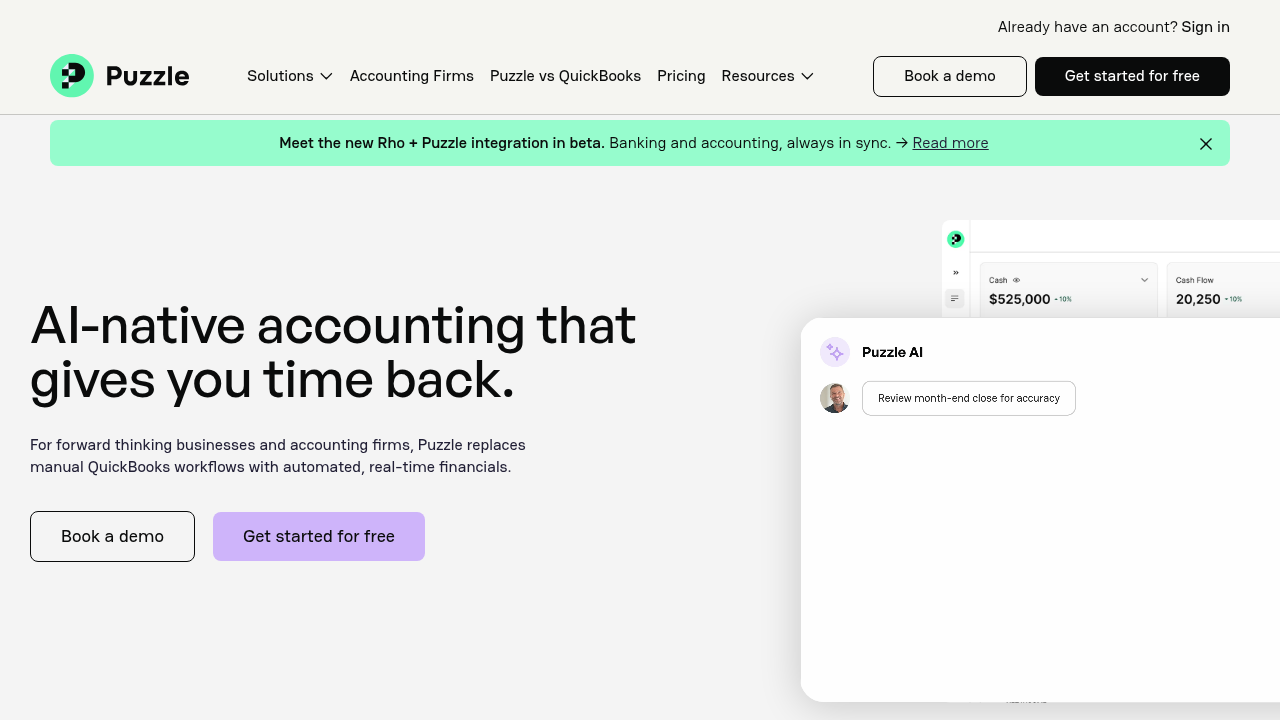
AI processes 85–90% of transaction categorization automatically, learning from your patterns instead of requiring endless rule configuration. For SaaS companies running Stripe subscriptions, revenue recognition happens automatically with proper deferred revenue tracking and dual-basis accounting maintained simultaneously.
We partner exclusively with accounting firms and will never compete for their clients.
Both options require workarounds to support how startups actually run. Quickbooks vs Xero comes down to which limitations you're willing to accept, but neither gives you the real-time financial visibility or native fintech integrations that startups need daily. Puzzle was built from scratch to solve these exact problems, with AI handling categorization and direct API connections replacing the aggregators that constantly break. You can book a demo to see the difference.
Neither Xero nor QuickBooks offers native integrations with tools like Stripe, Mercury, Ramp, or Brex; both rely on third-party aggregators that create sync delays and data mismatches requiring manual corrections. If you're running on modern fintech tools, you'll spend hours fixing connection issues with either option.
Puzzle has two distinct AI layers that work differently from what QuickBooks (Intuit Assist) and Xero offer. Accounting AI chat lets you ask questions about your books in plain language: "what drove the increase in operating expenses last quarter?" or "which clients have unpaid invoices over 60 days?" You get answers without running reports or exporting to spreadsheets. AI Close agents are different: they're autonomous workers that run the month-end close checklist on a schedule, matching transactions, flagging anomalies, and preparing journal entries without requiring you to log in and trigger each step. Both features are meaningfully different from QuickBooks' Intuit Assist, which is primarily a categorization and data-entry assistant, not a close automation engine. For plan availability and whether AI agents can be configured for recurring scheduled tasks, the details live in Puzzle's current pricing page; those specifics update more frequently than a comparison post can track accurately.
Xero includes unlimited users at all pricing tiers ($20-$80 monthly), while QuickBooks charges per seat and ranges from $20-$275 monthly across five plans. However, base pricing doesn't include payroll, advanced reporting, or payment processing, both can exceed $150 monthly once you add those features.
No. Both Xero and QuickBooks require manual spreadsheet work to calculate burn rate and runway. You'll export transaction data monthly and build your own models to answer "how many months until we run out of cash?" Neither was designed with these startup-specific metrics built in.
Both support accrual accounting, but neither makes automated revenue recognition simple for subscription businesses. QuickBooks lets you switch between cash and accrual reporting but can't maintain both views simultaneously. Xero requires manual journal entries or external spreadsheets to track deferred revenue schedules for recurring Stripe subscriptions.
Earlier than most founders expect. The best time to set up your accounting stack is before you close your first round — not after. Investors will ask for 12-24 months of clean historical financials during diligence, and rebuilding those records from bank statements is painful and expensive. Even pre-revenue, accounting software gives you a defensible paper trail from day one: entity setup, cap table transactions, founder payroll, and any early vendor payments all need to be categorized correctly. The cost of doing this right at pre-seed (a few hundred dollars a year) is a fraction of what a CPA charges to restate messy books retroactively. QuickBooks and Xero both work at this stage, but if you're already running on Stripe, Mercury, or Ramp, Puzzle's direct API connections mean you spend zero time on manual imports from day one.
If you're spending hours monthly fixing integration issues, maintaining spreadsheets for burn rate calculations, or manually managing revenue recognition schedules, you've outgrown what these tools were designed to handle. Companies with subscription revenue exceeding $50K monthly typically hit the point where manual processes become risky.
Most startups begin on cash basis because it's simple: you record money when it moves. Three events typically force the switch to accrual — closing a seed or Series A round (investors expect GAAP-compliant financials), reaching the IRS gross receipts threshold that removes the cash-method option for tax purposes, or hitting a revenue run rate where deferred revenue and unpaid invoices are large enough to distort your cash-basis P&L. The transition requires restating your books to recognize revenue when earned and expenses when incurred, not when cash changes hands. Both QuickBooks and Xero support accrual reporting, but neither automates the transition or maintains both views simultaneously. Puzzle's dual-basis accounting keeps cash and accrual books in sync from day one, so the transition is already done by the time your Series A diligence asks for it.
A clean migration preserves your chart of accounts, historical transaction records, open invoices, and vendor/customer lists. The core steps: export your data from QuickBooks (transactions, reports, lists), map your chart of accounts to the new system's structure, import historical balances as opening entries, and verify that prior-period reports match before cutting over. Most migrations also match and verify the prior 12 months of bank statements in the new platform to give the AI categorization engine enough pattern history to be accurate from day one. The risk isn't losing data: it's importing messy historical categorizations that train the AI on bad habits. Puzzle's onboarding process includes a structured import that cleans your chart of accounts and validates historical balances before your first live month.
Both QuickBooks and Xero offer sales tax tracking, but the degree of automation falls well short of what most founders expect. QuickBooks integrates with Avalara and TaxJar to automate rate lookups and filing across jurisdictions, but that integration is an add-on, not included in the base plan. Xero has built-in sales tax reporting for common scenarios but lacks native multi-jurisdiction automation for nexus tracking, rate updates, or jurisdiction code matching: you'll handle those manually or pay for a third-party integration. Neither platform automatically flags when you've crossed economic nexus thresholds in a new state, which is where most startups get caught. If you're selling SaaS to customers across multiple states, the manual correction burden compounds quickly. This is a gap in both tools worth weighing against your actual tax exposure before committing.
At seed stage, bank reconciliation needs to be fast and accurate without requiring a full-time controller to manage it. The gap between Xero and QuickBooks on reconciliation is smaller than their marketing suggests: both use pattern-matching to suggest transaction matches, both sync via aggregators that occasionally drift, and both still require a human to review and categorize edge cases each month. The real differentiator at seed stage is integration quality: how reliably the software connects to your actual bank (Mercury, Brex) and card (Ramp) without manual CSV imports or Plaid sync failures. Puzzle connects directly via API to the fintech tools seed-stage companies actually use, which means reconciliation runs on live data instead of aggregated feeds that lag by hours or days.
The core constraint for a solo bookkeeper isn't expertise: it's hours. QuickBooks requires manual rule configuration, regular reconciliation review, and client-by-client exception handling that doesn't compress well as you add clients. AI-native software changes the math: when the system automatically categorizes 85–90% of transactions and flags only the exceptions, you're reviewing decisions instead of making them one by one. For month-end close, AI Close agents can run the checklist (matching transactions, flagging anomalies, preparing journal entries) on a schedule instead of requiring you to log in and drive each step. The practical effect: a solo bookkeeper managing 8-10 QuickBooks clients at capacity can typically manage 15-20 clients on Puzzle without adding hours, because the AI handles the volume work and surfaces only the decisions that actually need a human.
A fractional CFO's value is turning financial data into decisions, which requires tools that surface current numbers without a manual pull. The core stack typically includes accounting software with real-time transaction sync (not month-end batch updates), a dashboard layer for burn rate and runway that updates as transactions flow in, and a reporting layer for board packages and investor updates. QuickBooks and Xero both require the fractional CFO to export data and rebuild models in spreadsheets to deliver the metrics that matter to startup boards. Puzzle was built with this workflow in mind: burn rate, runway, and cash position update daily as transactions sync, so a fractional CFO can answer "what's our runway?" without pulling a report or opening a spreadsheet. The partner-only model also means the CFO's firm gets direct access without competing with the software vendor for the client relationship.
The key variable for firm migrations is timing: avoid a month where the client is being billed in both systems simultaneously. The cleanest cutover is the first of a month: export QuickBooks data through the last day of the prior month, import historical balances as opening entries in Puzzle, connect the client's fintech accounts (Stripe, Mercury, Ramp) via direct API, and run the first live month entirely in Puzzle. Historical records (chart of accounts, transaction history, open invoices, vendor lists) all migrate over; the prior 12 months of transactions are typically imported so Puzzle's AI has enough pattern history to categorize accurately from day one. For the firm, the workflow shift is the bigger change: instead of driving manual reconciliation for each client, you're reviewing AI-prepared close packages and approving exceptions. Most firms run a parallel close for the first month to validate that Puzzle's output matches what QuickBooks would have produced before fully cutting over.
The tension is real: founders need visibility into current numbers without accidentally breaking something, and accountants need a clean workspace where the books reflect what they've reviewed and approved. Neither QuickBooks nor Xero was designed with this division explicitly in mind: both give founders and accountants the same view, which either overwhelms founders with accounting complexity or gives them the ability to make changes that create reconciliation headaches. The right model separates views by role: founders see the metrics that drive decisions (burn, runway, cash position, ARR) while accountants work in the detailed ledger. Communication about transactions (flagging an unusual expense, explaining a one-time item) should happen in context, attached to the specific transaction, not in a separate Slack channel where the thread gets lost. Puzzle is built around this model: founders get a real-time financial dashboard, accountants get the full ledger and close workflow, and transaction-level comments keep the conversation tied to the source record.





