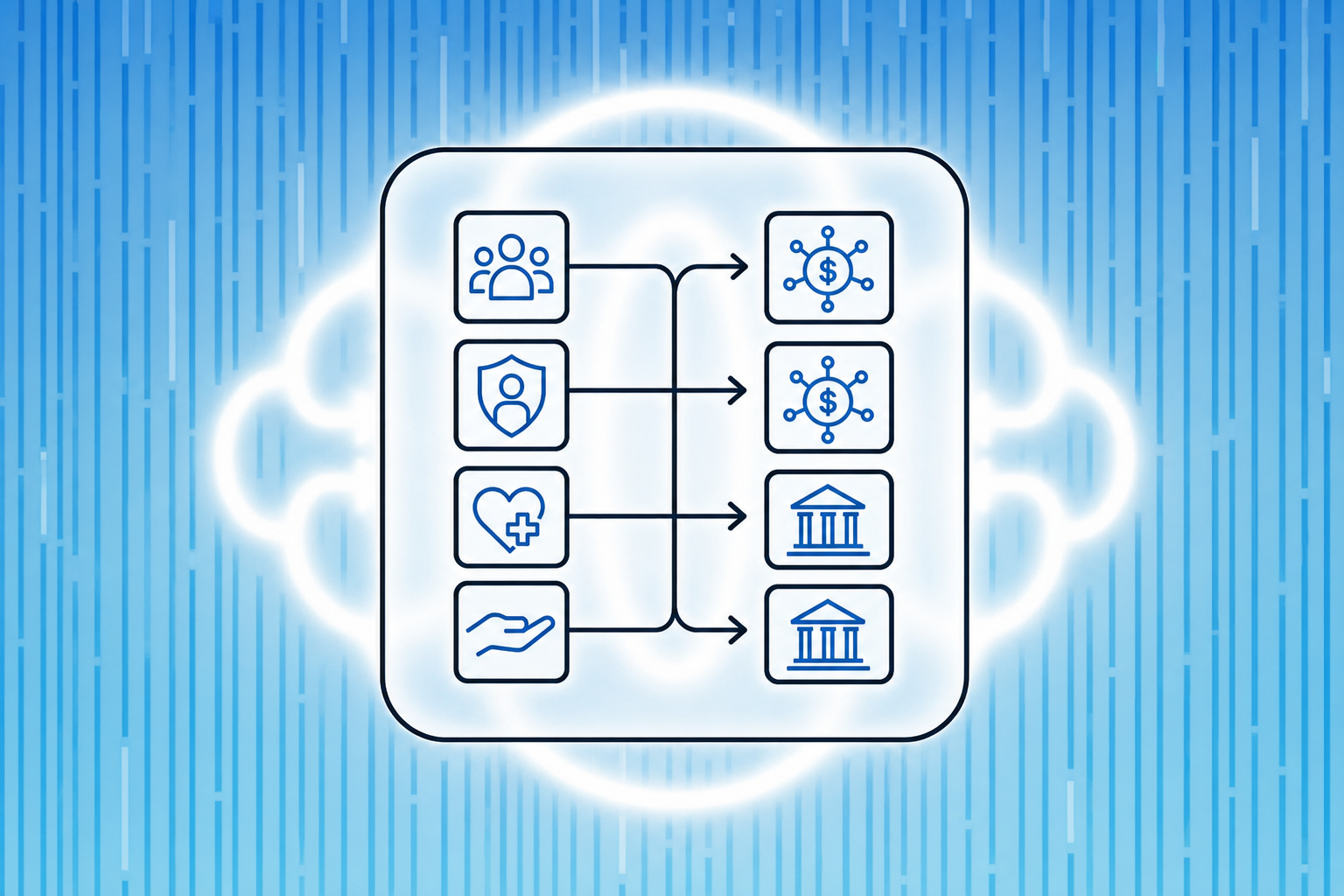
Learn how native Gusto integration automates payroll journal entries in your accounting platform. Setup guide for accurate GL mapping. June 2026
The Puzzle Team
6.11.26
In article:
Accounting. Simplified
A bad product lacks competitive advantage. Successful businesses have something unique that's hard to copy. It could be cost efficiency, brand power, or proprietary tech. Without this, you're just waiting to get outperformed. Think of physical retailers being outperformed by e-commerce.
Thank you for being part of our Puzzle community. Stay tuned!
Oops! Something went wrong while submitting the form.
Each pay run generates gross wages, employer taxes, benefit deductions, and net disbursements that need to land in specific general ledger accounts or your financials are wrong from day one. When you're doing it manually, you're pulling data from Gusto, opening your accounting software, and mapping every line yourself. Miss a classification and your burn rate is off, your tax liability doesn't match what was remitted, or department costs bleed across the P&L. Accounting platforms with a native integration to Gusto automated payroll journal entries changes the workflow entirely. Payroll data syncs automatically into the right accounts after approval, so entries post accurately without rekeying, remapping, or manual reconciliation at month-end.
TLDR:
Manual payroll entry for biweekly runs means 26 chances per year to misclassify expenses or tax accruals.
Native Gusto integration syncs payroll data directly to your general ledger within minutes of approval.
Map your chart of accounts correctly once and every automated journal entry lands in the right account.
Class tracking splits payroll across departments automatically, giving you clean burn analysis by business unit.
Puzzle connects to Gusto and generates structured journal entries dated to the payroll period for accurate accrual books.
What Automated Payroll Journal Entries Mean for Your Accounting Workflow
A payroll journal entry records each pay run inside your general ledger: gross wages earned, employee deductions (withheld taxes and benefits), employer payroll taxes owed, and net cash disbursed. Each component needs to hit the right account, every time, or your books are wrong before the month even begins.
Manual entry means pulling those figures from your payroll provider, rekeying them into your accounting software, and mapping each line to the correct expense account yourself. For biweekly payroll, that's 26 entries a year. Each one carries real risk:
A payroll tax accrual that doesn't match what was actually remitted, creating a variance item that compounds over quarters.
A department tag applied to the wrong line, skewing headcount cost visibility across your P&L.
Native integrations remove that process entirely. When Gusto connects directly to your accounting software, payroll data syncs automatically into accounts your chart of accounts already recognizes. That's a different proposition than a CSV export or a middleware workaround, both of which still require manual review steps and introduce their own category mapping errors along the way.
How Native Gusto Integration Works with Accounting Software
When Gusto processes payroll, it generates a set of financial events: gross wages, employer taxes, benefit deductions, and net pay. The question for any accounting setup is how those events get recorded in the general ledger, and how fast.
Native integrations skip the manual export-and-import cycle entirely. Gusto pushes payroll data directly to connected accounting software after each pay run, automatically creating journal entries mapped to the correct accounts.
What gets synced automatically
The core data flowing through a native Gusto integration includes:
Gross wages broken out by department or employee type, so labor costs land in the right expense accounts without manual sorting
Employer payroll tax liabilities posted as they accrue, not after the fact
Benefit deductions (health insurance, 401k contributions) recorded against the appropriate liability accounts
Net pay amounts tied to the bank account used for disbursement
What accounting software handles on its end
The receiving accounting software needs to map those incoming fields to its own chart of accounts. Better integrations let you configure this mapping once and apply it to every future run. Weaker ones require re-mapping after changes to Gusto's pay schedules or employee classifications.
For startups running payroll every two weeks, that difference compounds fast. A misconfigured mapping on one pay run can take hours to untangle before month-end close.
Chart of Accounts Mapping for Payroll Categories
Accurate payroll journal entries depend on how well your chart of accounts maps to Gusto's payroll categories. Get this wrong and you'll spend hours untangling misclassified expenses at month-end close.
Gusto outputs payroll data across several distinct categories, and each one needs a corresponding account in your general ledger.
Core account mappings to set up
Before connecting Gusto to any accounting software, confirm you have accounts for each of the following:
Gross wages should map to a dedicated salary or wages expense account, split by department if your chart of accounts supports cost center tracking.
Employer payroll taxes (Social Security, Medicare, FUTA, SUTA) need their own expense account, separate from employee withholdings, which are liability accounts until remitted.
Employee benefits contributions paid by the employer belong in a benefits expense account, while employee-side deductions sit in a current liability until the payment clears.
Reimbursements passed through payroll should map to a separate reimbursement clearing account to keep them off your wage expense line entirely.
Why the liability side matters as much as the expense side
A common setup mistake is mapping everything to expense accounts and ignoring the accrued liabilities. Withheld taxes and deductions are not expenses yet. They are obligations you owe to a third party. Booking them to expense overstates your labor costs and understates your balance sheet liabilities, which creates real problems when you are preparing financials for fundraising or a tax filing.
Getting the mapping right once means every automated journal entry Gusto generates will land in the correct account without manual correction.
Department and Class Tracking for Multi-Location Payroll
When payroll spans multiple cost centers, the accounting gets complicated fast. Gusto's department and class tracking lets you split payroll expenses across business units before journal entries ever hit your general ledger, so you're not manually re-coding transactions after the fact.
How cost center mapping works in practice
Most accounting integrations push payroll as a single lump-sum entry. With class tracking active, each employee's compensation routes to the correct department automatically based on the cost center assigned in Gusto.
Salary and wages post to the department GL account tied to that employee's Gusto profile, so engineering payroll never bleeds into sales expense.
Employer tax contributions split proportionally across classes, matching the same department breakdown as gross wages instead of defaulting to a single overhead bucket.
Benefits costs follow the same logic, giving you clean departmental P&Ls without manual journal adjustments at month-end.
How This Affects Multi-Location Startups
If you're running payroll across multiple offices or revenue streams, class-level reporting is what makes your financials actually usable for burn analysis by business unit. Without it, you're looking at blended payroll costs that obscure where headcount spend is concentrated.
Tracking Method
Departmental Visibility
Month-End Adjustments Required
Single lump-sum entry
None
High
Class tracking via Gusto
Full cost center breakout
Minimal
Getting this right at the integration layer means your accounting reflects how your business actually operates, beyond what cleared payroll.
Automated Sync Scheduling and Timing
After you approve a pay run in Gusto, the integration kicks off automatically: Gusto generates the journal entry, pushes it via API to your connected accounting software, and the GL updates without any action on your end. For most native integrations, that sync happens within minutes of approval.
Two sync modes are common across Gusto integrations:
Real-time sync posts each payroll run immediately after approval, which works well for startups that want burn rate and cash position updated right after payroll clears.
Batch sync collects payroll events and pushes them on a set schedule (daily or weekly), which can simplify reconciliation if you prefer payroll entries to land in a predictable window.
Timing matters more than it seems at month-end close. If payroll runs on the last business day of a month and your sync is on a delay, entries can post into the next period. Check your sync schedule against your pay dates before close, or manually trigger a sync to pull any pending entries into the correct period.
Benefits of Payroll Automation Over Manual Entry
Manual payroll entry costs more than most founders realize. Finance teams processing payroll by hand spend an average of 5 to 7 hours per pay period on data entry alone, and a single miskeyed figure can cascade into misreported labor costs, wrong tax liabilities, and a month-end close that won't balance.
Automated payroll journal entries cut that exposure directly. When Gusto syncs with your accounting software natively, each pay run generates a pre-mapped journal entry automatically, with wages, employer taxes, and benefit deductions already split across the right accounts.
The practical gains break down across a few areas:
Time reclaimed at every pay run: hours of manual entry collapse into minutes of review, freeing your team for higher-value work like variance analysis or cash forecasting.
Fewer classification errors: automated mapping applies the same account logic every cycle, so wage expenses don't accidentally land in the wrong cost center or department.
Faster month-end close: payroll entries post in real time, so there's no reconciliation backlog waiting for someone to key in the last pay run before the books can close.
Cleaner audit trails: every synced entry carries a timestamp and source record tied back to the originating Gusto pay run, which simplifies both internal reviews and external audits.
For startups tracking burn rate and runway weekly, the timing matters as much as the accuracy. Stale payroll data gives you a number, not a signal.
Common Integration Challenges and How to Troubleshoot Them
Even with a native connection in place, payroll sync errors do happen. Here are the most common issues and how to fix them fast.
Mapping mismatches
If your chart of accounts does not match Gusto's default output categories, journal entries will post to the wrong accounts. Audit your account mapping inside your accounting software before running your first sync, and re-check it any time you add a new compensation type in Gusto.
Duplicate entries
Running a manual journal entry on the same pay period you already synced is the most common cause of duplicate postings. Lock pay periods immediately after sync confirmation to prevent this.
Timing gaps
Gusto processes payroll on a set schedule, but your accounting software may pull data at a different cadence. If entries appear out of period, check whether your integration pulls on run date or settlement date, and align that setting with your accrual cutoffs.
When native integrations don't go far enough, Gusto's API opens a second tier of automation. Developers can pull payroll run data, employee records, and tax withholdings directly into any accounting system that accepts API input, giving finance teams control over mapping logic that prebuilt connectors often lock away.
Zapier and Make (formerly Integromat) sit in the middle ground: no-code workflows that trigger on Gusto payroll events and push structured data to QuickBooks, Xero, or a general ledger of your choice. These work well for teams that need custom entry formats without engineering overhead.
For startups with more complex needs, consider these paths:
Direct API access lets you write payroll journal entries exactly as your chart of accounts requires, with full control over department splits, cost center tagging, and timing.
Middleware tools like Zapier handle trigger-based sync without code, though they introduce an additional failure point if a payroll run falls outside expected parameters.
Dedicated payroll accounting integrations, such as those built into AI-native accounting software, auto-post entries on run completion and flag exceptions for human review before anything hits the books.
The right path depends on your team's technical capacity and how much variance exists across pay runs. A startup with straightforward salaried payroll rarely needs API access. One managing contractors, equity compensation, and multi-state tax withholding across departments will hit the ceiling of prebuilt connectors fast.
How Puzzle Automates Gusto Payroll Journal Entries
Puzzle connects directly to Gusto, pulling payroll data into your books without manual exports or CSV uploads. Each time payroll runs, Puzzle generates a structured journal entry that splits gross wages, employer taxes, and benefits into the correct accounts automatically.
The mapped accounts follow standard accrual accounting structure:
Gross wages post to your salary and wages expense accounts, broken out by department if your Gusto setup includes cost centers.
Employer payroll taxes (Social Security, Medicare, FUTA, SUTA) post to separate tax expense lines, keeping your P&L clean and audit-ready.
Employee deductions for benefits and retirement contributions post as liability accounts until remitted, matching how those obligations actually work.
Once payroll syncs to your general ledger dated to the payroll period, not the funding date, so your accrual books stay accurate across month boundaries.
Final Thoughts on Payroll Journal Entry Automation
The gap between processing payroll and recording it accurately is where accounting workflows break down. Native Gusto integrations close that gap by syncing journal entries automatically, mapping them to the right accounts, and keeping your books current without manual intervention. Getting the setup right once means your payroll accounting runs itself after that. See how Puzzle automates this end-to-end if you want to stop manually entering payroll data.
FAQ
Can I build automated payroll journal entries without API access?
Yes. Native integrations like Gusto's direct connection to accounting software handle payroll journal entries automatically without requiring custom API development or middleware tools. The integration creates structured entries for wages, taxes, and deductions on every pay run without manual export or code.
Gusto payroll automation vs. CSV export?
Gusto's native integration posts journal entries automatically after each pay run, mapping payroll data to your chart of accounts without manual intervention. CSV export requires downloading files, importing them into your accounting software, and manually mapping each line to the correct account—adding hours of work and introducing classification errors that native sync eliminates entirely.
How do I set up chart of accounts mapping for payroll?
Before connecting Gusto, create dedicated accounts for gross wages (by department if needed), employer payroll taxes, employee benefit expenses, and liability accounts for withheld taxes and deductions. Map each Gusto payroll category to the corresponding GL account once during setup, and the integration will apply that mapping to every future pay run automatically.
What happens if my payroll runs on the last day of the month?
If your sync runs on a delay, entries can post into the next accounting period instead of the month when payroll actually ran. Check your integration's sync schedule against your pay dates before close, or manually trigger a sync to pull pending entries into the correct period for accurate accrual accounting.
When should I use API integration instead of native Gusto sync?
If you need custom entry formats, multi-dimensional cost center tagging beyond standard department splits, or payroll logic that prebuilt connectors don't support, direct API access gives you full control over mapping and timing. Startups with straightforward salaried payroll rarely need this—those managing contractors, equity compensation, and multi-state tax withholding across complex department structures hit the ceiling of native integrations faster.
Let us help you solve your financial puzzles.
Thank you for being part of our Puzzle community. Stay tuned!
Oops! Something went wrong while submitting the form.