Your accounting costs split across so many buckets that you've probably never added them all up. Bookkeeper retainer, software licenses, payroll service fees, that emergency cleanup before your last board meeting. Then there's the invisible tax: your team's time categorizing transactions, matching bank accounts, and hunting down missing receipts when they should be shipping features or talking to customers. The typical founder response is to shop for a cheaper bookkeeper, but that doesn't fix the underlying problem. Learning how to reduce your total cost of startup accounting means rethinking the entire workflow that makes accounting expensive.
TLDR:
Most founders miss the full picture because accounting costs spread across different buckets. Beyond your bookkeeper's invoice, you're paying for software licenses, payroll services, tax prep, audit support, and the hours your team burns on financial tasks that pull them away from building product.
Startups typically spend $500 to $3,000 monthly on ongoing accounting work. That covers bookkeeping, payroll management, tax filings, and monthly reporting. Your actual number depends on transaction volume, how complex your revenue recognition gets, and how many accounts you're juggling between banks, cards, and payment processors.
Setup costs hit harder upfront. Getting your books clean the first time runs $1,000 to $5,000 based on how tangled your historical data looks. This includes building your chart of accounts, cleaning up past transactions, and wiring together your financial stack. Then monthly recurring costs kick in and scale as your business gets more complex.
Transaction volume drives more cost than founders expect. A pre-seed company with 50 monthly transactions needs different support than a Series A company handling 500 transactions across multiple entities. Every new bank account, credit card, or payment processor adds reconciliation time that pushes your costs higher.
Manual transaction categorization burns time you should spend on growth. Founders waste 10+ hours weekly on bookkeeping when they could be closing customers or building product. Switching to accounting automation tools for startups is the fastest way to reclaim those hours.
AI learns your spending patterns and handles repetitive matching. You review exceptions instead of every coffee receipt or software charge. The system gets smarter with volume, applying your rules across similar purchases automatically.
Reconciliation moves from monthly crisis to continuous background process. Manual matching takes 2 hours per bank account. Automated reconciliation runs ongoing and surfaces mismatches for quick review. 5 minutes confirming beats 2 hours hunting.
Consistency improves accuracy. Tired founders make classification errors. AI applies rules uniformly and catches duplicates or missing entries before they corrupt reports. Your books stay clean without constant oversight.
Your fintech stack already holds your financial data. The cost comes from manually bridging those tools into your accounting system. Stripe tracks revenue, Ramp captures expenses, Gusto processes payroll. When these don't connect properly, someone recreates that data by hand.
Poor integrations create double work. You export CSVs, reformat columns, import batches, then fix what breaks. Mercury shows one balance, your books show another, and closing that gap eats hours. Each disconnected tool multiplies the problem.
Native connections eliminate that translation layer. Payment data flows directly from Stripe: the Stripe accounting integration handles revenue recognition automatically. Card transactions import from Ramp with merchant details intact. Payroll posts from Gusto without manual journal entries. Your books update as transactions happen instead of waiting for someone to sync them.
The value compounds across tools. Three disconnected systems create six potential mismatch points. Six connected systems work as one source of truth. You spend less on cleanup work because data never fragments in the first place.
Early stage founders can manage their own books with a Puzzle vs. QuickBooks comparison. Pre-seed companies tracking basic expenses and simple revenue don't need full-service bookkeeping yet. Guided accounting software provides structure without monthly retainers.
Fractional bookkeeping fits once transaction volume exceeds what you can handle in a few hours monthly. Series A companies processing 200+ transactions, managing multiple payment processors, and handling revenue recognition need regular professional review. You pay for 5-10 hours monthly instead of a full-time salary.
Full-service bookkeeping suits later stage companies managing multiple entities, complex revenue contracts, or detailed investor reporting. When accounting directly impacts board materials or audit prep, professional oversight prevents costly errors.
Mismatched support levels waste money. Hiring full-service too early burns budget on unused capacity. Managing solo too long creates expensive cleanup when mistakes accumulate. Match your support to transaction complexity and stakeholder needs; funding stage alone is not the right signal.
| Startup Stage | Monthly Transactions | Monthly Cost Range | Recommended Support Model | Primary Accounting Needs |
|---|---|---|---|---|
| Pre-seed | Under 50 | $500 to $1,000 | DIY with guided software | Basic expense tracking, simple revenue recording, tax compliance |
| Seed | 50 to 200 | $1,000 to $1,500 | Fractional bookkeeping with 5-10 hours monthly | Multi-account reconciliation, payroll processing, monthly reporting |
| Series A | 200 to 500 | $1,500 to $2,500 | Fractional bookkeeping with 10-15 hours monthly | Revenue recognition, unit economics, board reporting, multiple entities |
| Series B+ | 500+ | $2,500 to $3,000+ | Full-service or dedicated controller | Complex revenue contracts, audit preparation, investor reporting, financial planning |
Monthly close cycles force accounting teams to batch weeks of transactions into compressed timeframes. Your accountant bills for concentrated work sprints: chasing down receipts, categorizing hundreds of transactions at once, fixing errors that compound when left unreviewed. Rush projects cost more per hour than steady, distributed work.
Continuous accounting spreads transaction review across 30 days instead of cramming it into three. Your accountant categorizes expenses as they clear, matches accounts daily, and catches mismatches before they multiply. Work gets done in 15-minute increments throughout the month instead of 8-hour marathons. See how to automate month-end close to make this the default.
The hourly savings are direct. Fixing a three-week-old miscategorization takes longer than correcting it the day it posts. Finding a missing receipt from last month burns billable time. Your accountant spends less time overall when they review transactions continuously versus in bulk batches.
Current books also prevent costly mistakes. You can't course-correct spending patterns when you catch them six weeks late. Real-time burn rate visibility means you spot budget overruns while you can still adjust vendor contracts or delay hires, not after the damage compounds.
A messy chart of accounts turns every transaction into a judgment call. When your team can't tell whether software goes under "Tech Expenses," "Software Subscriptions," or "Operating Costs," you get inconsistent categorization that breaks financial reports and requires expensive cleanup before due diligence.
Build your chart around startup spending patterns from the start. Create accounts for SaaS tools, cloud hosting, contractor payments, and customer acquisition costs instead of vague buckets like "General Expenses." Your team will categorize correctly because the options match how you actually spend.
Fixing this later costs $2,000 to $5,000 in emergency accounting work when investors want clean unit economics. A well-structured chart gives you those metrics from day one, so you only pay for bookkeeping once.
Most startups should allocate 2 to 5 percent of revenue to accounting expenses. Pre-revenue companies can't use this metric, but once you're generating $500K annually, that translates to $10K to $25K yearly on accounting work. See Puzzle's pricing to understand where software fits within that budget.
The percentage varies with complexity. Simple SaaS companies with straightforward subscription revenue stay closer to 2%. Companies managing inventory, multiple revenue streams, or complex contracts trend toward 5%. Transaction volume matters more than revenue alone.
As a general rule of thumb, spending much above 8% of revenue on accounting likely signals overpaying for services or unnecessary complexity. Spending well under 1% is often a sign you're creating problems that will cost more to fix later when investors or auditors need clean books.
Inaccurate books create expensive emergency fixes during fundraising. When investors request financials for due diligence, messy data triggers rushed accounting cleanups costing $5,000 to $15,000 in expedited fees. Your accountant bills premium rates to reconstruct months of incorrect categorization under deadline pressure.
Errors compound faster than founders expect. One miscategorized revenue transaction creates incorrect monthly recurring revenue calculations. That breaks your burn multiple, runway projections, and unit economics. Fixing cascading mistakes across six months of reports takes exponentially longer than catching the first error when it posts.
Tax amendments cost more than accurate filings. Filing corrections with the IRS runs $500 to $2,000 per amendment, plus potential penalties for underpayment. Clean books prevent these bills by getting calculations right the first time.
Investor confidence suffers when numbers shift between meetings. Saying "actually, our burn is 15% higher than we reported last month" kills credibility during fundraising. Accurate books mean you present numbers that hold up under scrutiny.
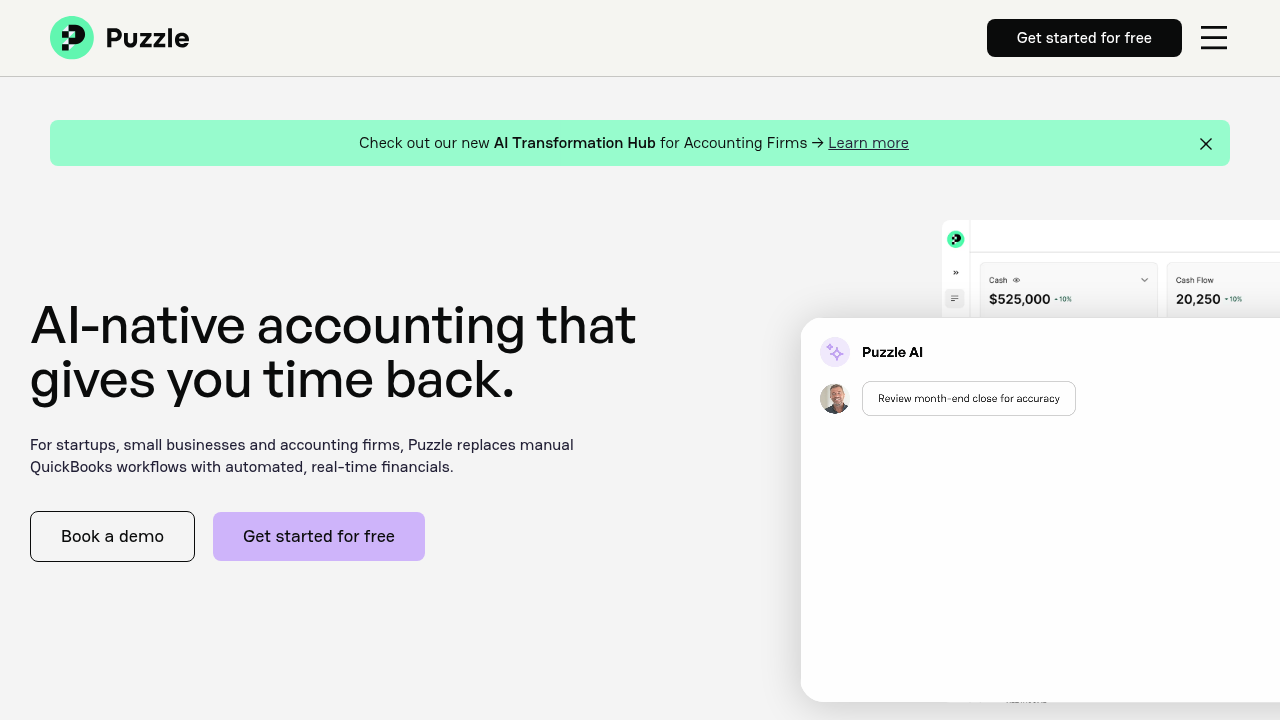
QuickBooks Online starts above $30/month, and that's before you add payroll, before integrations, before the hours your team spends forcing it to sync with Stripe or Mercury. Puzzle starts at $30/month (Starter), with the Core plan at $72/month adding real-time burn and runway insights, and Complete at $120/month layering in AI-native reconciliations and revenue recognition. You get automated categorization, native fintech integrations, and real-time financial visibility at a price point that scales with your stage.
The cost difference comes from architecture, not feature lists alone. Legacy tools were built for manual workflows and bolted on automation later, so you still pay a bookkeeper to review every AI suggestion before it posts. Puzzle was built AI-native from day one: the categorization model trains on your specific spending patterns, not generic ledger templates, which means it reaches high accuracy faster and requires fewer human corrections over time. That directly reduces the billable hours your bookkeeper spends on routine work.
The integration layer compounds the savings. Most accounting tools pull data through third-party connectors that break on API updates or require CSV workarounds. Puzzle's native connections to Stripe, Mercury, Ramp, and Gusto mean transactions post with full merchant context already attached: no reformatting, no manual matching, no cleanup pass. Your accountant spends time on judgment calls, not data hygiene. That's the work that actually costs less per hour and takes fewer hours to complete.
Your books update continuously as transactions flow through. No more paying for concentrated month-end sprints. You see burn rate and runway daily without waiting weeks for reports.
Clean books from the start prevent the $5,000 to $15,000 emergency fixes common during fundraising. You pay once to do it right instead of twice to correct errors.
Most startups shift from full-service bookkeeping to fractional support or internal management with occasional expert review, letting software handle what previously required human hours.
The real accounting cost isn't the monthly invoice but the hours your team loses to financial tasks. Reduce your total cost of startup accounting by automating transaction categorization and keeping books current. That means no concentrated month-end scrambles, less manual reconciliation, lower bills, and more time building product. Your accounting should work quietly in the background while you focus on growth.
Yes, and the earlier you start, the less you pay later. Pre-revenue startups that build a clean chart of accounts and connect their bank accounts from day one avoid the $1,000 to $5,000 cleanup bill that hits when investors first ask for financials. Before revenue, the value is structural: accurate burn tracking, documented spending patterns, and books that are already investor-ready when you close your seed round. Fixing six months of miscategorized transactions under fundraising deadline pressure costs far more than the $30/month you'd spend on software from the start.
Plan to allocate 2 to 5 percent of annual revenue once you're generating income, which translates to $500 to $3,000 monthly for most early-stage companies. Pre-revenue startups should expect $1,000 to $5,000 in setup costs plus ongoing monthly expenses that scale with transaction volume and complexity.
Continuous accounting spreads transaction review across 30 days with daily categorization and reconciliation, while monthly close batches weeks of work into compressed end-of-month sprints. Continuous methods cost less overall because fixing a three-week-old error takes longer than correcting it the day it posts.
Switch to fractional support once you're processing 200+ monthly transactions, managing multiple payment processors, or handling revenue recognition that exceeds what you can manage in a few hours. Pre-seed companies with basic expenses can typically self-manage with guided software.
AI categorizes 85–90% of transactions automatically and learns your spending patterns, cutting the 10+ hours founders typically waste weekly on manual bookkeeping. Native integrations eliminate the CSV export and reconciliation work that creates expensive cleanup bills, while continuous processing prevents the $5,000 to $15,000 emergency fixes common during fundraising.
Migration cost depends on how far back you need to go and how clean your existing data is. Most startups migrate with a clean cutover: you pick a start date, import your beginning balances from QuickBooks, and let your new platform handle everything forward. Historical transactions stay in QuickBooks for reference but don't need to be re-entered. If you need full historical data migrated (for audit trails or investor due diligence), expect $500 to $2,000 in one-time migration work depending on transaction volume and how many accounts need to be matched. The key number to get right is your beginning balance; errors there cascade through every subsequent report.
The answer is continuous accounting paired with native fintech integrations. When your bank accounts (Mercury, Brex), payment processors (Stripe), and expense tools (Ramp) connect directly to your accounting software, transactions post in real time instead of batching at month-end. Your cash position reflects actual cleared balances daily, and burn rate recalculates automatically as each expense posts. Puzzle's Core and Complete plans deliver real-time burn and runway dashboards built on that live data, so you know where you stand today, not where you stood four weeks ago when your bookkeeper last ran a report.
This starts with your chart of accounts. Structure accounts to separate cost of goods sold (COGS), including hosting, payment processing fees, and customer success salaries, from operating expenses like marketing and G&A. Variable costs tied directly to revenue go in COGS; fixed overhead goes below the gross margin line. With that separation in place, your P&L automatically surfaces gross margin as revenue minus COGS, and contribution margin becomes visible once you segment variable costs from fixed ones within COGS. The accounting work happens once during setup; after that, accurate categorization keeps those margins current without manual calculations. Messy charts of accounts, where hosting lives under "Tech Expenses" and payment fees land in "Other", collapse these distinctions and force expensive recategorization work before every board meeting.
With a native payroll integration, journal entries post automatically each pay run with no manual entry required. Gusto payroll automation maps gross wages, employer taxes, and benefit deductions to the correct general ledger accounts and posts the entry the moment payroll processes. Rippling works the same way for teams that use it for combined HR and payroll. The alternative, exporting a payroll summary and keying it in by hand, takes 30 to 60 minutes per pay period and introduces classification errors that compound into messy P&L reports. Puzzle connects natively to Gusto so payroll journal entries land in the right accounts automatically, keeping your labor costs accurate without manual intervention every two weeks.